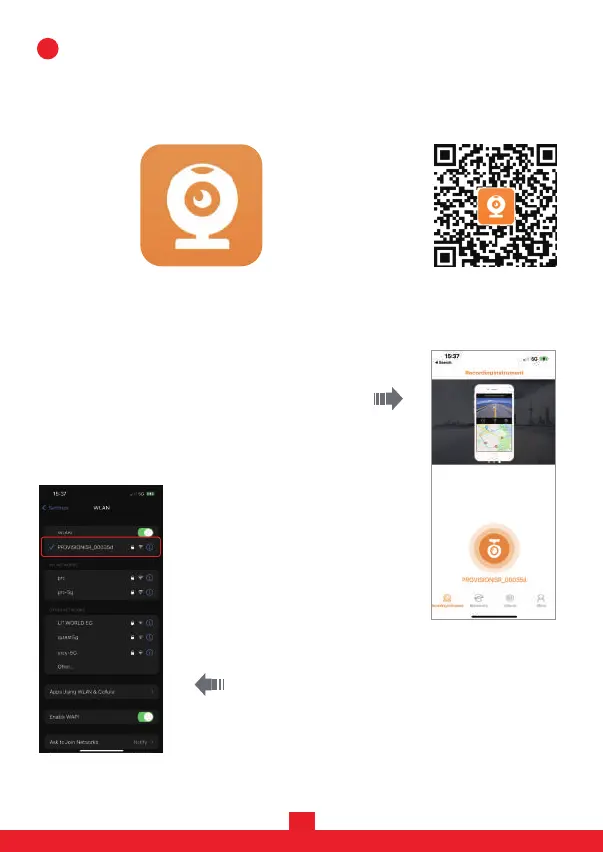
1. Download the mobile APP: The camera’s App is available on Apple Store and
Google Play. Scan the following QR code to auto-direct to the APP page. You
can also download the APP by searching “ RoadCam”.
5. After connection, go back to the APP. You are now connected to the APP
and can start using the Dashcam.
3. Open your App and click on “CONNECT MY
CAMERA”.
4. The APP will open the phone's WiFi network
page. Choose the network Provision-ISR_XXXX
(the XXXX is unique for each device). Connect to it
(the default password is 12345678).
How to connect to the camera:
10
2. Press the camera's “OK” button to stop recording, then long press the “Menu"
button (two seconds press) to turn the device's WiFi on.
11
Scan for iOS/Android:RoadCam App:


 To Next Page