Recorder Installation
3
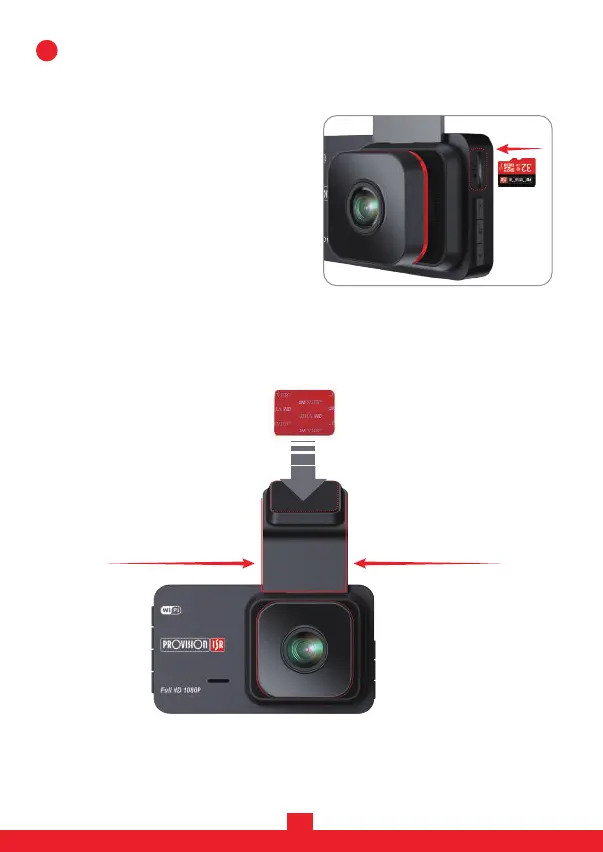
1. Before starting video recording, please insert a Micro SD (TF) card (not
included) into the slot until it locks in place.
- The Micro SD (TF) card capacity can
be up to 128GB (class 10 and above).
- The Micro SD (TF) card needs to be
formatted. You can format it using the
camera (explained in step 6, page 6).
2. Slide in the bracket provided in the box to the camera, stick the 3M adhesive
mount and place the camera on the car's windshield.
(Recommended: locate behind the rear-view mirror to ensure it won’t block
your driving view.)
4
Slide-inSlide-out
3M Sticker


 To Next Page