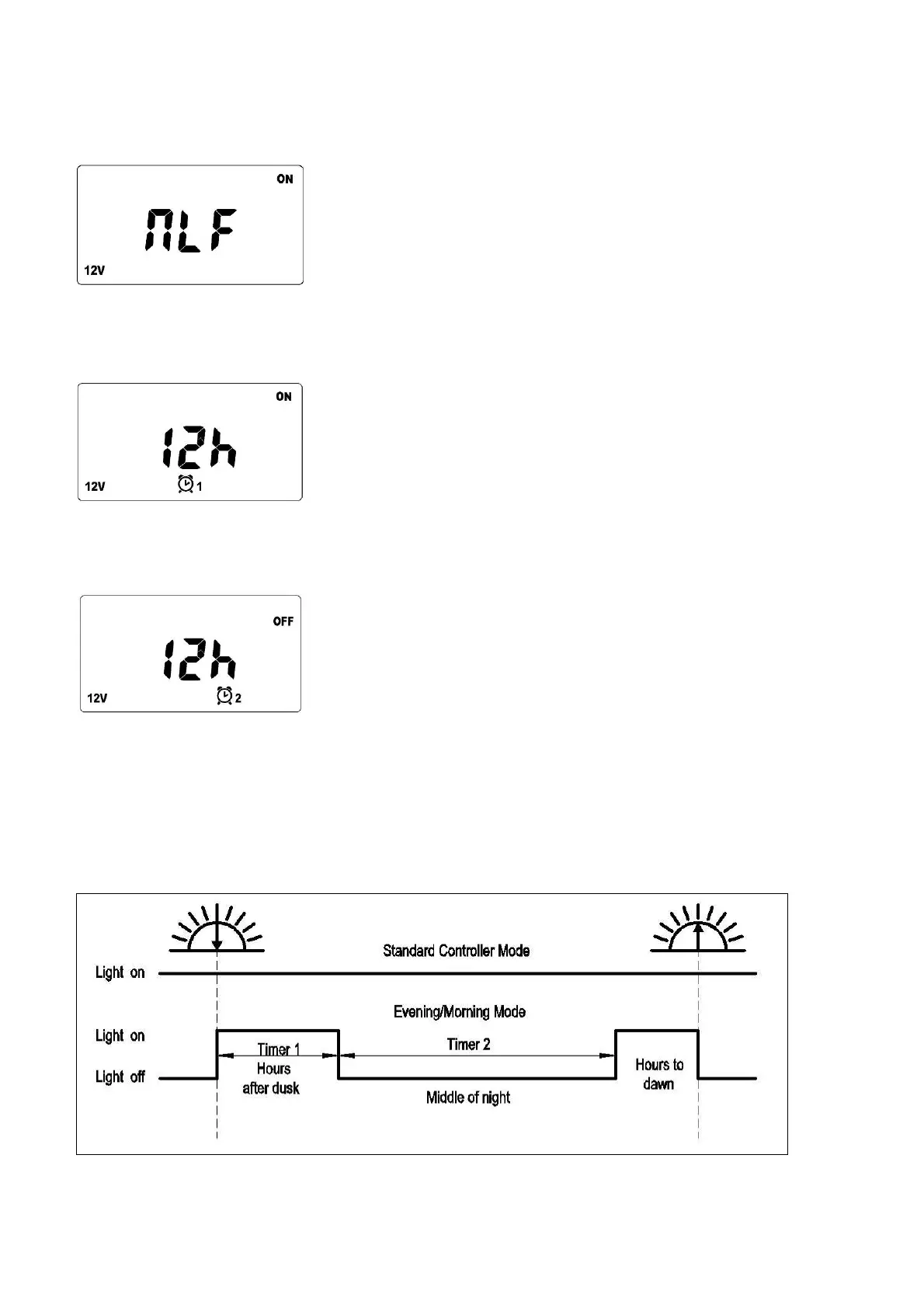
4. Night-Light Function (NLF) setup.
Press “menu” button 6 times. Window will switch to NLF setup interface. Press “enter” button once, through
Pageup/Pagedown buttons, choose “ON” and then confirm by “enter” button.
After NLF on, press “menu” button, window switch to Timer1 setup interface. Press “enter” button once,
you can adjust the “Hour” (1-12hours) via “Pageup/Pagedown” buttons, and then confirm it by pressing “enter”.
Timer1 hours stands for the time the load terminal will be switched ON.
Press ”menu” button again, window switch to Timer2 setup interface. Press “enter” button once, you can adjust
the “Hour” (1-12hours) via “Page up/Page down” buttons, and then confirm it by pressing "enter”.
Timer2 hours stands for the time the load will be OFF after Timer1 hours have finished.
NOTE: When the Timer2 hours are finished, the load will turn ON again until dawn. (See Diagram below)
If you want the load to stay OFF for the remainder of the night, make sure Timer2 hours are sufficient to reach
dawn.
The ISC3042 recognizes day and night based on the solar array voltage
NLF (Night mode) will start when the PV Input Voltage falls below 10 Volts.
.
Standard Controller Mode = NLF set to OFF, (See Item # 9.1 Page 7)
6


 To Next Page