Smartphones using Android version 8.0 or later. If the phone is not on the above list it does not mean
the PRD is not compatible. Instead, it means the PRD has not been tested on the phone and Prox
Devices cannot guarantee or warrant that the PRD will work with it.
Not Compatible:
KaiOS
Android Go Edition
Nokia
Most "feature phones" (e.g., flip phones without a touchscreen)
Apple or Samsung phones with modified mobile OS (i.e., jailbroken)
--------------------
If compatible, there are several possibilities where the PRD will alert even if the phone is within
proximity:
1) The phone is turned off;
2) The phone's Bluetooth® is turned off; or
3) There has been a temporary break in the RF signal caused by some obstruction, such as an arm
laying over the PRD
In these cases, turning the phone and/or its Bluetooth back on or removing the obstruction that is
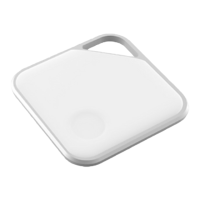
breaking the RF signal, should allow the PRD to reconnect with the phone. A single-click on the PRD
will yield a blue or red LED, with blue indicating that the PRD is on and connected to the phone and red
indicating that the PRD is still disconnected.
Phone and Bluetooth are turned on, PRD alerted and is within proximity
of the phone, but PRD won't reconnect with the phone
If using alert distance "1", the PRD will need to be next to the phone in order to reconnect. This setting
is specifically designed to only reconnect when the phone is retrieved (i.e., in your hand) and next to
the PRD.
If the PRD and phone are next to each other and, after 5 seconds, the PRD still has not reconnected
with the phone, then the phone's OS is temporarily not updating the Bluetooth properly (e.g., the phone
is momentarily ignoring Bluetooth). This is a very rare occasion and can be remedied by doing the
© 2022 Prox Devices, Inc. All rights reserved. 3


 To Next Page
 Loading...