13
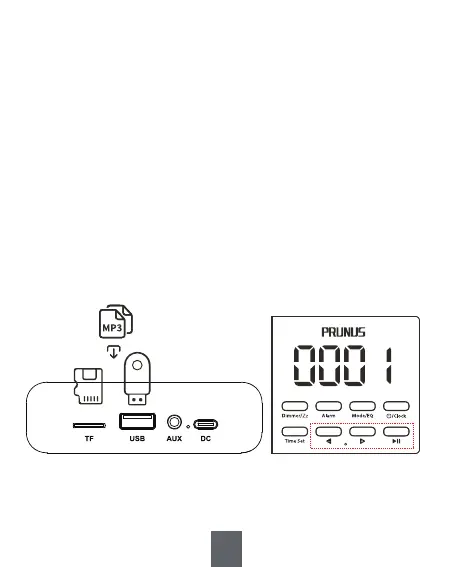
1. Insert the TF Card (32GB or less)/USB Drive loaded
with audio files into <⑪ TF Card Slot> or <⑫ USB Drive
Slot>. The radio will play music automatically once
the audio files are detected.
2. Briefly press <⑥ -> or <⑦ +> to switch to the
previous or the next song.
3. Briefly press <⑧ >
II> to pause/resume the playback.
5. TF Card/USB Drive Mode
⑥ ⑦ ⑧


 To Next Page