9
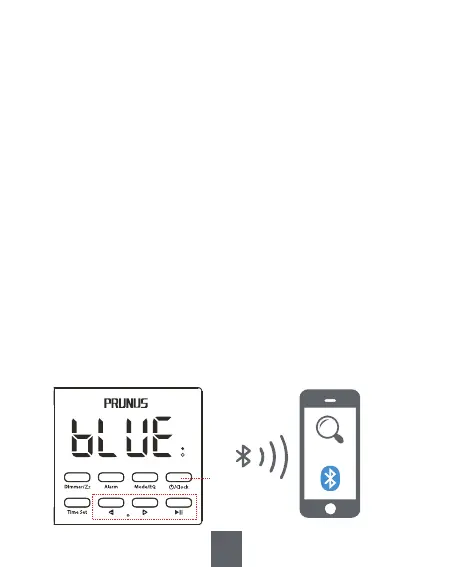
a. Bluetooth connection
1) In clock mode, briefly press <④/Clock> to enter Bluetooth
mode, and the "BLUE" on the display blinks.
2) Enable Bluetooth on your device, such as your phone, then
search and connect to the device named “J-177”. After a
successful connection, the radio will emit a "beep" sound, and
the "BLUE" on the display will stop blinking.
3) Open the music app/software on your device and play
music.
4) Briefly press <⑥ -> or <⑦ +> to switch to the previous or the
next song.
5) Briefly press <⑧
>II> to pause/resume the playback.
6) Press and hold<⑥ -> or <⑦ +> to adjust the volume.
3. Bluetooth Mode
J-177
④
⑥ ⑦ ⑧


 To Next Page