16
⑤
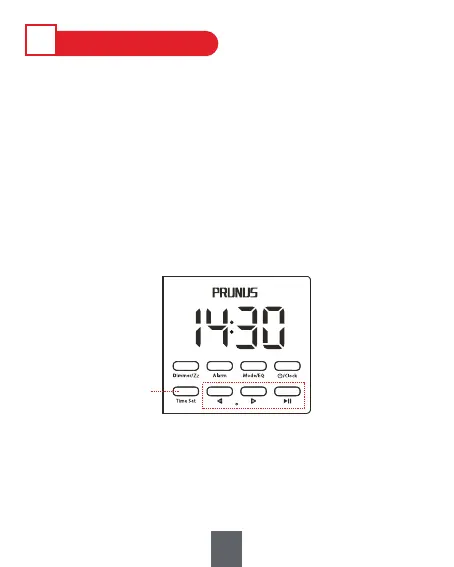
1. Time Setting
1) In clock mode, briefly press <⑤ Time Set>,
and the “hour” digit will flash.
2) Briefly press <⑥ -> and <⑦ +> to set hour.
3) Briefly press <⑧ >
II> to confirm and then “minute”
digit will flash.
4) Briefly press <⑥ -> and <⑦ +> to set minute.
5) Briefly press <⑤ Time Set> to confirm.
V
OTHER FEATURES
Note:
After the device is connected to your phone via Bluetooth, it
will automatically synchronize its time with the phone. If the
device's time is not synchronized after Bluetooth connection,
you will need to manually set the time.
⑥ ⑦ ⑧


 To Next Page