15
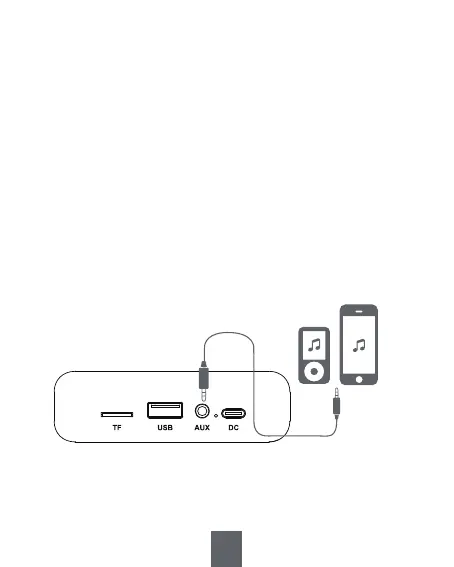
1) Insert one end of AUX cable (not included) into <⑬
AUX Jack> and the another end into earphone jack of
your device.
2) Repeatedly short press <③ Mode/EQ> to switch to
AUX IN mode, and you will hear “auxiliary connection”.
3) Open the music app/software to play music.
4) Press <⑧ >II> to mute the radio, press again to
resume the sound.
6. AUX IN Mode


 To Next Page