2.Played by USB Drive/TF Card
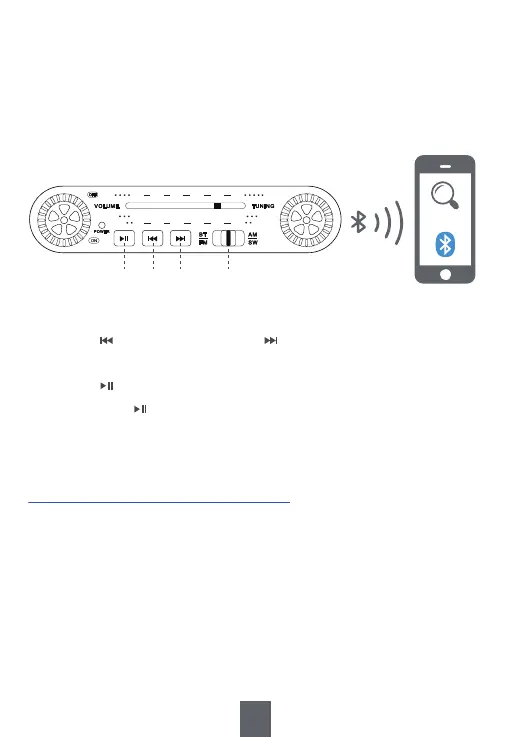
2) Turn on the Bluetooth on your device, such as mobile phone,
to search and connect the device named “J-180”. A "ding-dong"
sound indicates that the device is successfully connected.
3) Open the music app/software on your device and play music.
J-180
Band Switch: BT
⑥
⑤④③
FM 87
5.9
522 - - 710 - - 1060 - - 1400 - - 1620
AM
SW
90 94
7.5 10.2 13.4 16.1 18.0
100 105 106
MHz
KHz
MHz
1) Move <⑥Band Switch> to “BT”
2) Insert the USB drive/TF card loaded with MP3 files into
<⑪TF Card Slot> or <⑫USB Drive Port>. Then the radio will
give a sound “played by USB drive” or “played by TF card”.
Once the MP3 files are detected, the radio will play automatically.
9
Tips :
1. Press <④ Previous/Rewind> or <⑤ Next/Fast forward> to choose the
previous or the next song.
2. Press <③ Play/Pause/Mode Switch> to pause and resume the playback.
3. Long press <③ Play/Pause/Mode Switch> to switch mode between
Bluetooth and AUX.


 To Next Page