4826 Sterling Drive, Boulder, CO 80301
PH: 720.406.8946 service@psaudio.com www.psaudio.com
Getting Started
Getting Started xiii
©2016 PS Audio Inc. All rights reserved.
®
Owner’s Reference DirectStream Junior
produce a bit of line noise themselves. Make sure you have a high quality shielded
power cable to power DirectStream Junior, and a Power Plant AC Regenerator if
possible.
PS Audio produces an entire line of high quality quiet power cables that are
generally accepted as being some of the best in the industry. Whatever you
choose, make sure it honors the music.
Turn the AC power switch in the rear of DirectStream Junior to the ON position.
The power switch is located to the left of the AC inlet as you face the rear panel.
As soon as the switch is activated the front panel display will show the initializing
information. This screen shows when DirectStream Junior’s internal “engine” is
being loaded with the rmware that runs DirectStream Junior.
After the initializing screen, you will see the volume control setting.
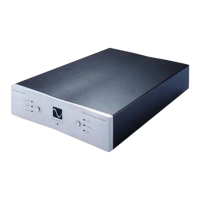
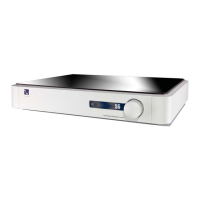
The front panel PS logo button, located on the upper left hand corner of the unit,
is the Ready/Operation Mode control for DirectStream Junior. This control has two
modes: Ready Mode and Operational Mode. Ready Mode (Standby) is designed
to keep power on to critical internal circuitry including power supply capacitors,
thermally sensitive semiconductors and integrated circuits.
Press this front panel logo button to activate the Ready Mode or to place
DirectStream Junior in Operational Mode. When pressed to enter Ready Mode,
the display, as well as the outputs are turned o, but all the unit’s critical internal
circuitry remains active.
If you wish to conserve energy consumed by DirectStream Junior it will be necessary
to use the rear panel power switch. Using this rear panel switch will remove power
from critical components and in order to gain maximum performance levels you
will need to turn DirectStream Junior’s power on at least 3 hours before use.
DirectStream Junior is designed to be left powered on at all times.
Should DirectStream Junior need to be rebooted, use the rear panel power switch
to power cycle the instrument. It's best to wait 30 seconds before powering back
on.
Use only high
quality power
cables
Keep power on
Rear panel power
switch
Front panel
standby button


 To Next Page