Controlling PWD & Bridge with tagNplay
®
4826 Sterling Drive, Boulder, CO 80301
PH: 720.406.8946 | service@psaudio.com | www.psaudio.com
15-042-21-1 Rev A
Instruction i
©2010 PS Audio International Inc. All rights reserved.
Queue Management
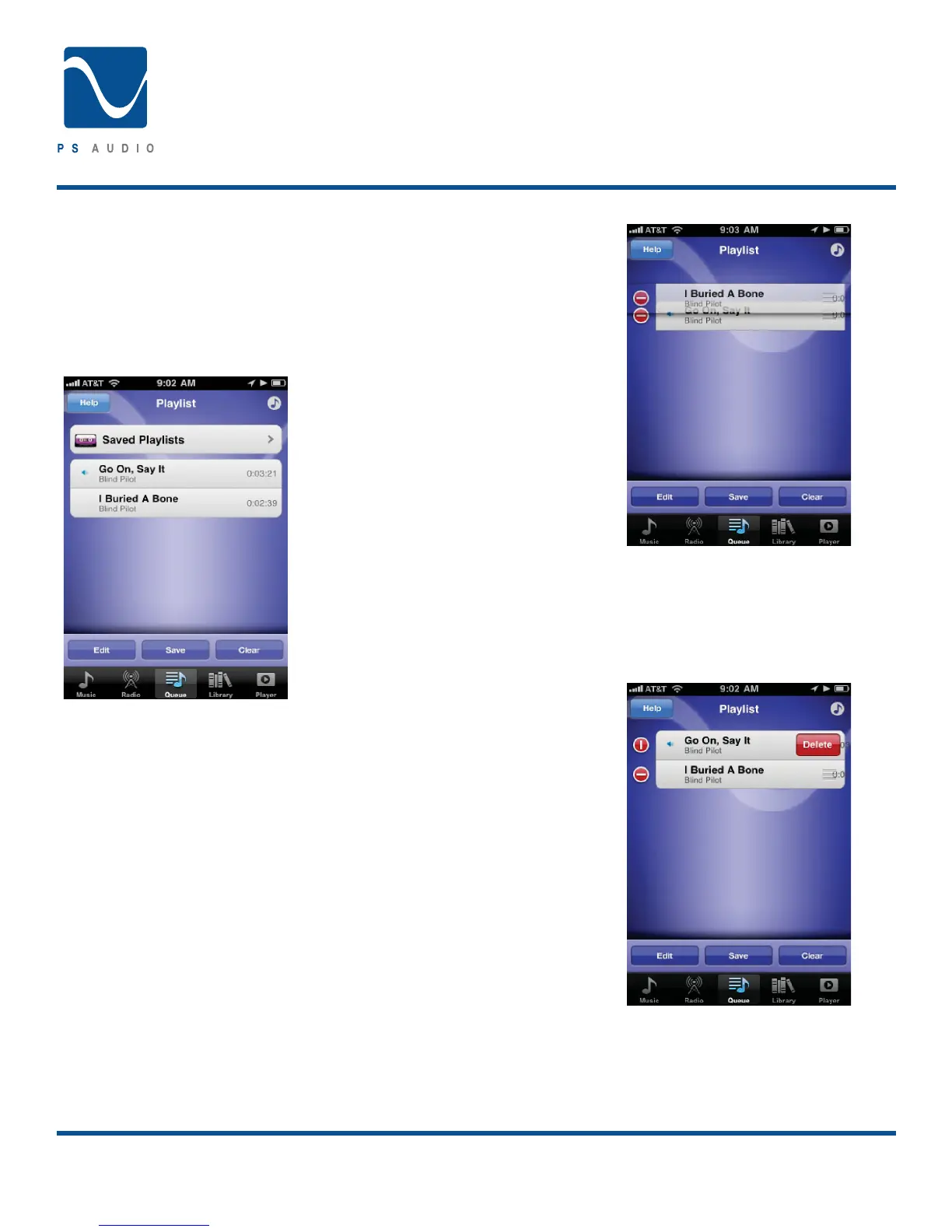
Touch the ‘Queue’ at the bottom navigation bar and you will
ÄUKHSPZ[VM^OH[`V\HYLJ\YYLU[S`WSH`PUN-YVT8\L\LWHNL
you may edit the Queue, save the Queue as a Playlist or clear
the Queue. Saved Playlists are also available and can be ac-
cessed by touching the ‘Saved Playlists’ button (selecting,
editing and playing Saved Playlists is covered in the Accessing
Saved Playlists section of this user guide).
Editing the Queue
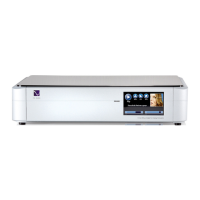
Touching the ‘Edit’ button will allow you to rearrange the
Queue and or remove tracks.
;VYLHYYHUNL[OL8\L\L[V\JOHUKIYPLÅ`OVSK[OLNYPW
lines of the track you would like to move. While touching
the grip lines move the track to the desired positioning the
Queue.
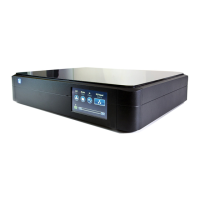
;VYLTV]LH[YHJRMYVT[OL8\L\L`V\ÄYZ[\USVJR[OL
track by touching the vertical line to the left of the track.
When the line is horizontal the track is unlocked and can
be deleted by touching the delete button.
Owner’s Reference
Perfect Wave DAC


 To Next Page