Table of Contents
®
4826 Sterling Drive, Boulder, CO 80301
PH: 720.406.8946 | service@psaudio.com | www.psaudio.com
15-042-21-1 Rev A
Instruction i
©2010 PS Audio International Inc. All rights reserved.
INTRODUCTION 2
GETTING STARTED 3
Unpacking the unit 3
Register the unit 3
Location 3
Stacking with a PerfectWave Transport 4
Digital Inputs 4
AC Power 4
CONNECTING THE PWD 4
Choosing the Connection Method 4
I2S 5
USB 5
AES/EBU 5
Coaxial Digital 5
Optical 5
Connecting to a Digital Source 5
Connecting PWD with Bridge to the Network 6
Ethernet Connection to Router 6
Wireless USB Dongle 6
Wireless Ethernet Adapter 6
Connecting the PWD Output 7
CONTROL AND OPERATION 7
Powering the PWD 7
ON/OFF button 8
Select the Input 8
Input Naming 8
Sample Rate 8
Filter 9
AUTO. 11
Filter 1 MP APOD 11
Filter 2 MP SOFT 11
Filter 3 LP APOD 12
Filter 4 LP SOFT 12
Filter 5 MP 1/2B 13
Phase (Polarity) 14
Remote Control 14
Dimming the Display 15
Checking the Firmware Version Number 15
Cleaning 15
NETWORK AUDIO PLAYBACK 15
The Bridge 15
Introduction to a Network Audio System 16
The PerfectWave Network 16
Building the Network 17
Understanding the Controller 17
tagNplay 17
Preparing the iDevice 17
Install tagNplay 18
Understanding the Server 18
The UPnP based server 18
Setting up the Server 19
Supported Formats 19
Installing the Bridge 20
Test by Playing Tracks 20
Controlling the PWD and Bridge with tagNplay 21
Introduction to tagNplay 21
Using tagNplay 21
Library Selection 21
Player Selection 22
Server Navigation 22
Track Selection 25
Now Playing Screen 26
Artist Info 27
Playing Internet Radio 28
Queue Management 29
Accessing Saved Playlists 31
TROUBLESHOOTING 32
WARRANTY 33
SERVICE 35
NOTES 36
Owner’s Reference
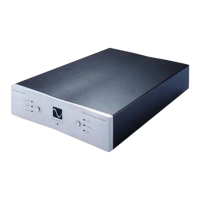
Perfect Wave DAC




 To Next Page