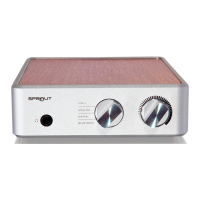
Stellar Phono Preamplifier
Troubleshooting
®
Noise If a whining, whistling, beeping, or other noise is coming from the Stellar Phono
Preamplifier, it is likely due to RF interference from another component. Components
such as computers and servers should be located as far away from the phonostage as
possible. We recommend using high-quality, shielded interconnect cables between the
turntable and phonostage. If necessary, you can also add a clamp ferrite to the RCA
cable that runs between your turntable and your Stellar Phono.
Hum or Buzzing
from Speakers
If you can hear a hum or buzzing noise coming from your speakers and it goes away
when muting your Stellar Phono, verify that you have selected the proper gain setting for
your cartridge. High noise could be a sign of the gain being set too high. Also, make sure
that the grounding wire from your turntable (if it has one) is connected to the binding post
on the rear panel of the Stellar Phono.
If you are using single-ended cables, try a pair of balanced (XLR) cables to see if the noise
is reduced or eliminated.
If you are still experiencing a hum or buzz coming from your speakers, it may be due to
cartridge interference. To test, mute the phonostage and unplug the input RCA cables.
Check to see if the noise is still there. If so, move the turntable to a different location and
repeat the test.
Loud Popping
If you hear a loud popping noise when touching the tonearm or turntable, verify that
your turntable’s grounding wire is connected to the binding post on the rear panel of the
Stellar Phono Preamplifier. Not all turntables have a grounding wire, so if yours does, we
highly recommend that you use it.
Music Sounds
Distorted
If your music sounds distorted or the soundstage is ill defined or incorrect, check the
alignment of your cartridge.
You may also check the verticle tracking angle (VTA) of the tonearm and verticle
tracking force (VTF) of the cartridge. If you are unsure how to do this, please contact the
manufacturer of your tonearm or cartridge.
12


 To Next Page