
 Need help?
Do you have a question about the ptcl EC2108V5 and is the answer not in the manual?
Lists all items included with the Set Top Box.
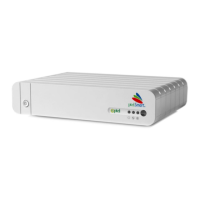
Details the components and indicators on the front panel of the STB.
Describes the various ports and connectors on the rear panel of the STB.
Explains the purpose and functionality of each button on the remote control.
Guides on how to program the remote to control a TV.
Provides instructions on how to connect the STB to a TV and power source using various cables.
Outlines the steps to power on and begin using the STB for the first time.
Troubleshooting for STB indicators being off and inability to power on.
Solutions for problems related to no video being displayed on the TV screen.
Troubleshooting steps for when no audio is heard from the STB.
Solutions for common issues when the remote control is not working properly.
Solutions for when the electronic program guide (EPG) is not displayed on the TV.
Troubleshooting steps for black-and-white images displayed after STB startup.
Details on input voltage requirements and the external power supply specifications.
Information on STB power usage and operating temperature/humidity.
Specifications for the STB's physical size and weight.
 General
| Model | EC2108V5 |
|---|---|
| Manufacturer | PTCL |
| Power Supply | DC 12V/1A |
| Device Type | Set-top box |
| Wi-Fi | 802.11b/g/n |
| Ports | HDMI, USB 2.0, Ethernet, AV out |
| Connectivity | Wi-Fi, Ethernet |
| Video Output | HDMI |
| Audio Output | HDMI |

 To Next Page