Need help?
Do you have a question about the PTZOptics PT-JOY-G2 and is the answer not in the manual?
General safety guidelines for using the joystick controller.
Network and camera compatibility requirements for the joystick controller.
Lists the items included with the PT-JOY-G2 joystick controller.
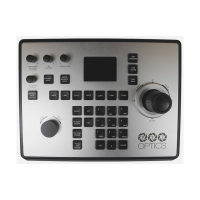
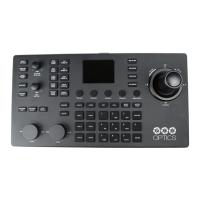
Identifies and labels the components on the top surface of the joystick.
Details how to connect power to the joystick controller.
Explains network connection requirements and setup for the joystick.
Guides through initial connection and setup on a network.
Instructions on how to change the joystick's display language.
Step-by-step guide to setting a static IP address via the controller.
Configuration of network parameters like IP address and ports via the web interface.
Navigating the web interface's main page and accessing setup options.
Detailed steps for searching and adding cameras through the web interface.
Step-by-step instructions for accessing the joystick controller's web login page.
Further details on main page elements and accessing setup functions.
Managing user accounts and access rights for the joystick controller.
Procedures for updating firmware and resetting the controller to factory defaults.
Instructions on how to restart the joystick controller.
Steps to add cameras to the joystick controller using its interface.
 General
| Type | PTZ Camera Controller |
|---|---|
| Joystick | Yes |
| Presets | 255 |
| Control Interface | Joystick |
| Compatibility | PTZOptics cameras, NDI cameras |
| Connectivity | USB |
| Protocols | VISCA, Pelco-D |
| Display | LCD |
| Power | 12 VDC |

 To Next Page