Z
T-937S lead-free reflow oven user manual
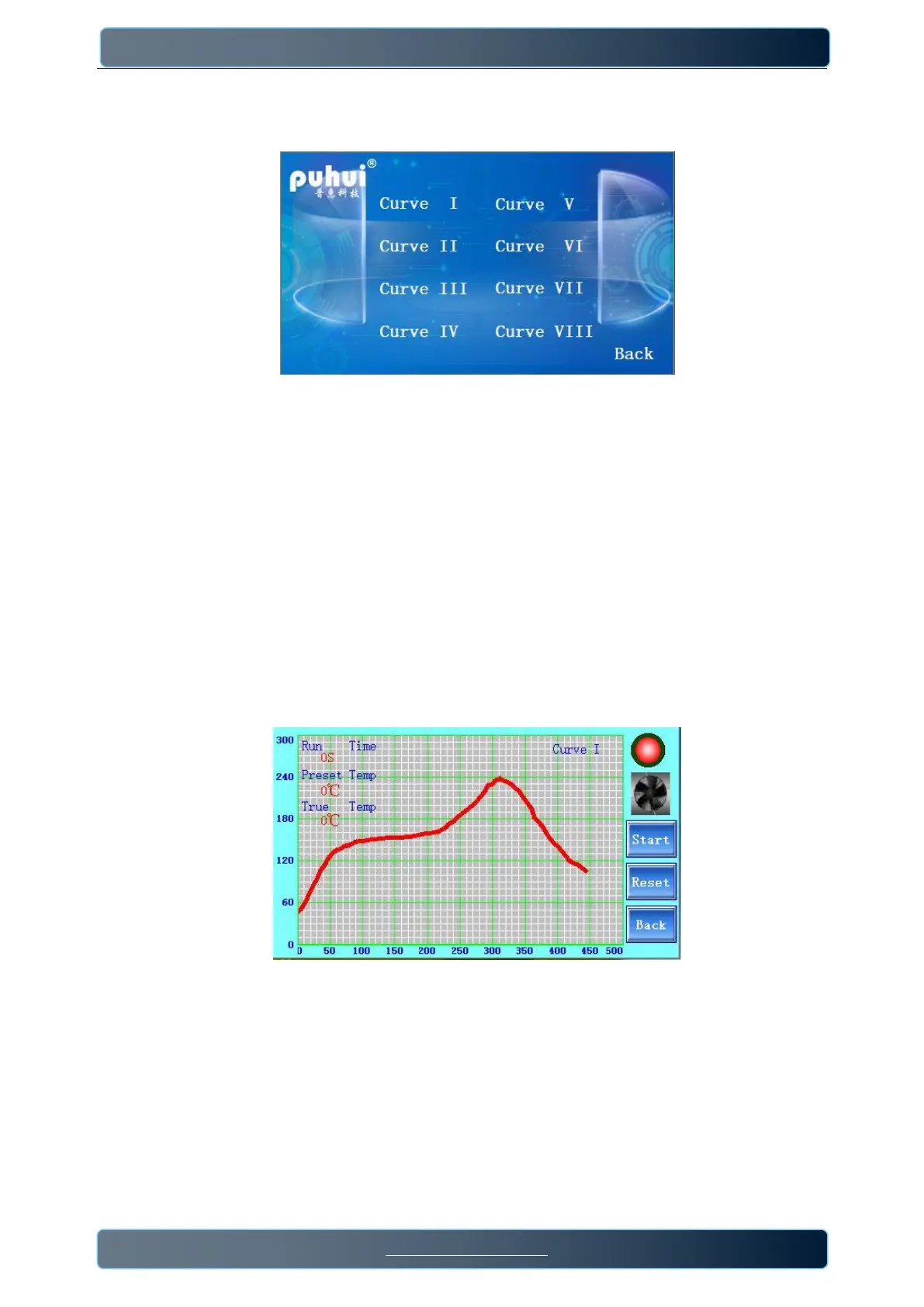
2) Press”Select Curve ”,enter into the curves interface,where users can choose suitable curve from them.
(Any curves built-in cannot be edited)
5
/
9
.
This machine is equipped with 8 preset curves:
Curve 1,available for: Sn99Ag0.3Cu0.7/SAG305;
Curve 2,available for: Sn/Ag3.5; Sn/Cu.75 Sn/Ag4.0/Cu.5;
Curve 3,available for: 85Sn/15Pb 70Sn/30Pb;
Curve 4,available for: 63Sn/37Pb 60Sn/40Pb;
Curve 5,available for: Sn/Ag3/Cu.5 ;
Curve 6,available for: Standard curing of red glue,Heraeus PD955M ;
Curve 7,available for: PCB repair work etc.;
Curve 8,available for:Sn/Ag3.5 Sn/Ag3.0/Cu.8 Sn/Sb.5; Sn/Bi3.0/Ag3.0 .
3) Choose suitable curve ,enter into the soldering interface.
Press “start”,the reflow oven begins to work.When the "True Temp" is between 45℃ and 60℃, the value
of the”Run Time” starts to change and the heating curve begins to draw . When the "Preset Temp" is
higher than the "True Temp", the indicator light color is green, the infrared tubes heating, the fan stops;
When the "Preset Temp" is lower than the "True Temp", the indicator color will be red, the infrared tubes
stop heating and the fan starts.


 To Next Page