Console and Initial Configuration
Connect Console and Network
1.
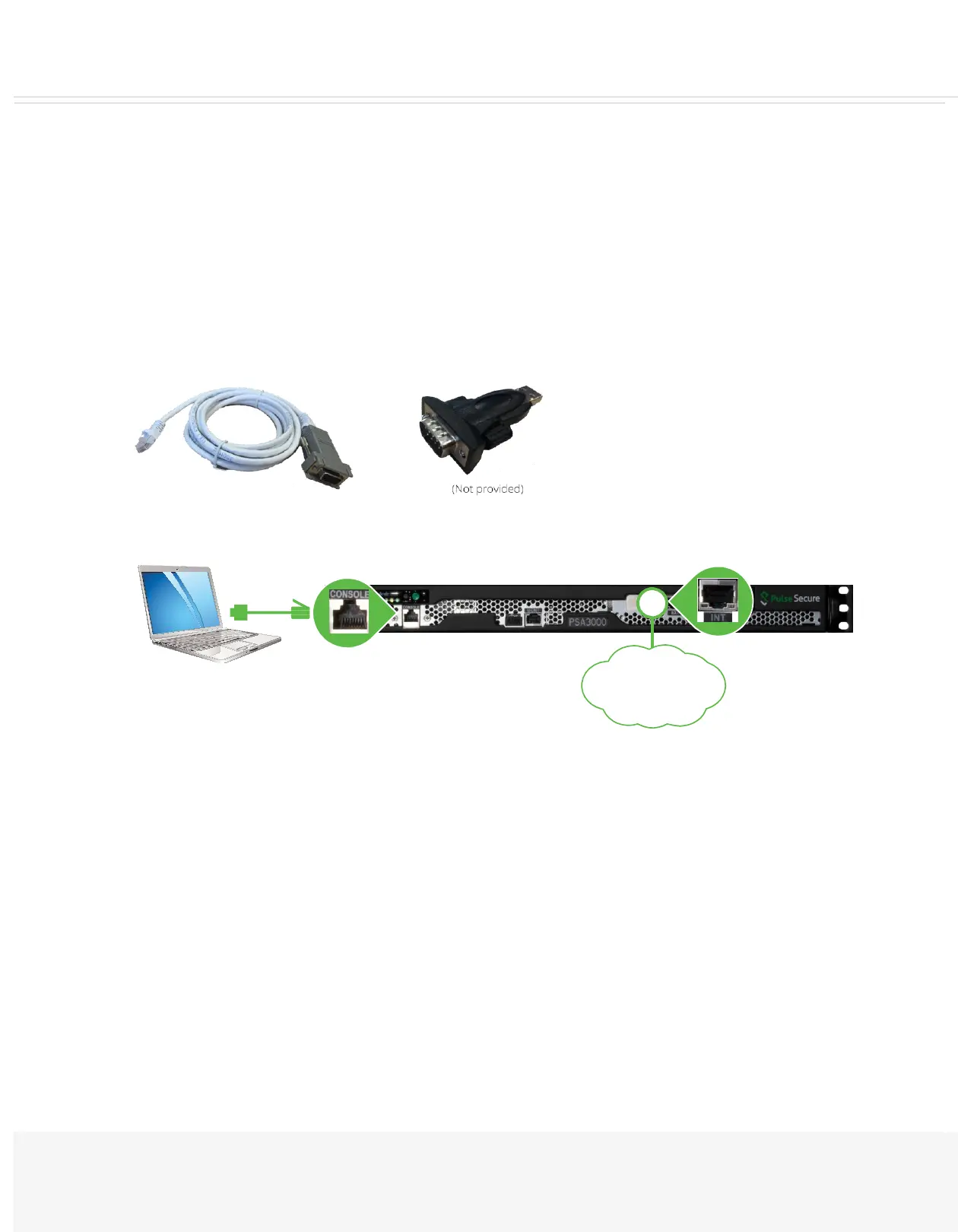
Do not power on the system yet. First, get the RJ45 to DB9 serial console cable. Note: A DB9 to USB
adapter is not provided.
2.
Connect the RJ45 end of the cable to the appliance port labeled CONSOLE and the DB9 end to a laptop.
Additionally, connect a network cable from the INT port on the appliance to a switch port:
3.
On the laptop, configure a terminal emulation utility, such as HyperTerminal or PuTTY, to use these set-
tings: 9600 speed, 8 data bits, 1 stop bit, no flow control.
To find your COM port in Windows, go to Start > Search > Device Manger > Ports (COM & LPT)
> USB Serial Port (COM#).


 To Next Page