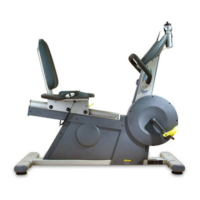
Assembly manual
11
Technical manual
12
Technical manual
!
!
!
!
! Pulse Fitness warrants to the original purchaser only of new equipment purchased directly from Pulse Fitness or from authorised distributors or
resellers, for its own use not for resale, that all Pulse Fitness equipment shall be free from defects in materials for 2 years and workmanship for a period
of 12 months from the date of purchase.
! This warranty does not cover any part of the equipment which has been:
(A) Modified, altered or subjected to abuse, misuse, negligence or accident, or improperly operated, maintained or stored.
(B) Improperly installed or installed in conjunction with any equipment for which it was not designed.
(C) Repaired or replaced by any party other than Pulse Fitness or its authorised service agents.
(D) Damaged or destroyed by disasters such as fire, flood, lightning or earthquake.
(E) Subject to usage or wear above that expected as being normal in the warranty period and classed as wear and tear items.
! In no event shall Pulse Fitness be liable for any special, incidental, consequential or other damages, costs or expenses.
! If a defect involves a components part or accessory that is already in service and can reasonably be replaced or serviced by the purchaser, Pulse
Fitness will be responsible only for providing, at no charge, a suitable replacement and instructions for the purchaser.
WARRANTY
Corrective Maintenance
Corrective maintenance is limited to replacing the console. To do this, proceed as follows:
1 - Read through all the following instructions before commencing work.
2 - Ensure that the equipment is switched off and unplugged (F-T Models only, powered).
3 - Remove the four screws that secure the control panel to the bottom panel. (As shown in Assembly Manual).
4 - Hold the consoll in a vertical position (take care not to strain the cables, as shown in Assembly Manual) and unplug the connectors from the
printed circuit board (PCB). Lift the control panel away and store in a safe place.
5 - Attach the connectors to the new console as shown in Assembly Manual.
6 - Place the console onto the support post, taking care not to trap any of the cables and then press firmly into position.
7 - Refit the screws at back of console and tighten them securely.
8 - Switch on the power and check that the new console operates correctly.
The PCB contains components that are sensitive to static charges. Do not touch any of the
components on the PCB or the PCB itself when removing or refitting the connectors.


 To Next Page
 Loading...