Section 4
MEMORY CARDS **IMPORTANT**
The memory card pre-installed in the PUMA 5 recorder uses a special type of formatting. Only use memory
cards certified and formatted for use with the PUMA 5 or Philips DPM 6000/8000 series recorders. Memory
cards which have been formatted on a computer or another type of device may malfunction and cause a loss
of recordings. Do not attempt to format the memory card from a computer using a card reader device. Do not
attempt to format the memory card from a computer even if the card is inserted in the recorder and
connected to the computer. Formatting the memory card in an unapproved device or in an unapproved
manner may result in a loss of recordings and data if the card is used in the PUMA 5 recorder. Even if the
memory card is formatted using an approved device compatible with the PUMA 5 recorder, remember that
formatting the memory card permanently deletes and erases all recordings and data on the card. Be sure to
make backup copies of any important recordings before formatting the memory card.
Do not remove the memory card while recording is in progress or recordings and data may be damaged or
lost. Philips uses approved industry standards for memory cards, but some brands may not be fully
compatible with your device. Using an incompatible memory card may damage your device or the
memory card and can corrupt recordings and data stored on the card
.
The device operates with a specially formatted SD/SDHC memory card and supports cards with
storage capacities of up to 32 GB.
The manufacturer’s warranty does not cover loss of recordings or data resulting from user actions.
Formatting the memory card on a computer or other unapproved device may cause incompatibilities with
your device and a loss of recordings and data. Only use memory cards designed exclusively and
formatted for the PUMA 5 recorder.
The included memory card in the recorder is designed to last for many years under normal conditions. If
the memory card is lost or damaged or a larger capacity card is desired, contact Versatile Information
Products or your salesperson for replacements.
**Note: The memory card is pre-installed in the PUMA 5 recorder. These instructions are for your reference in case the memory card needs to
be removed or replaced.
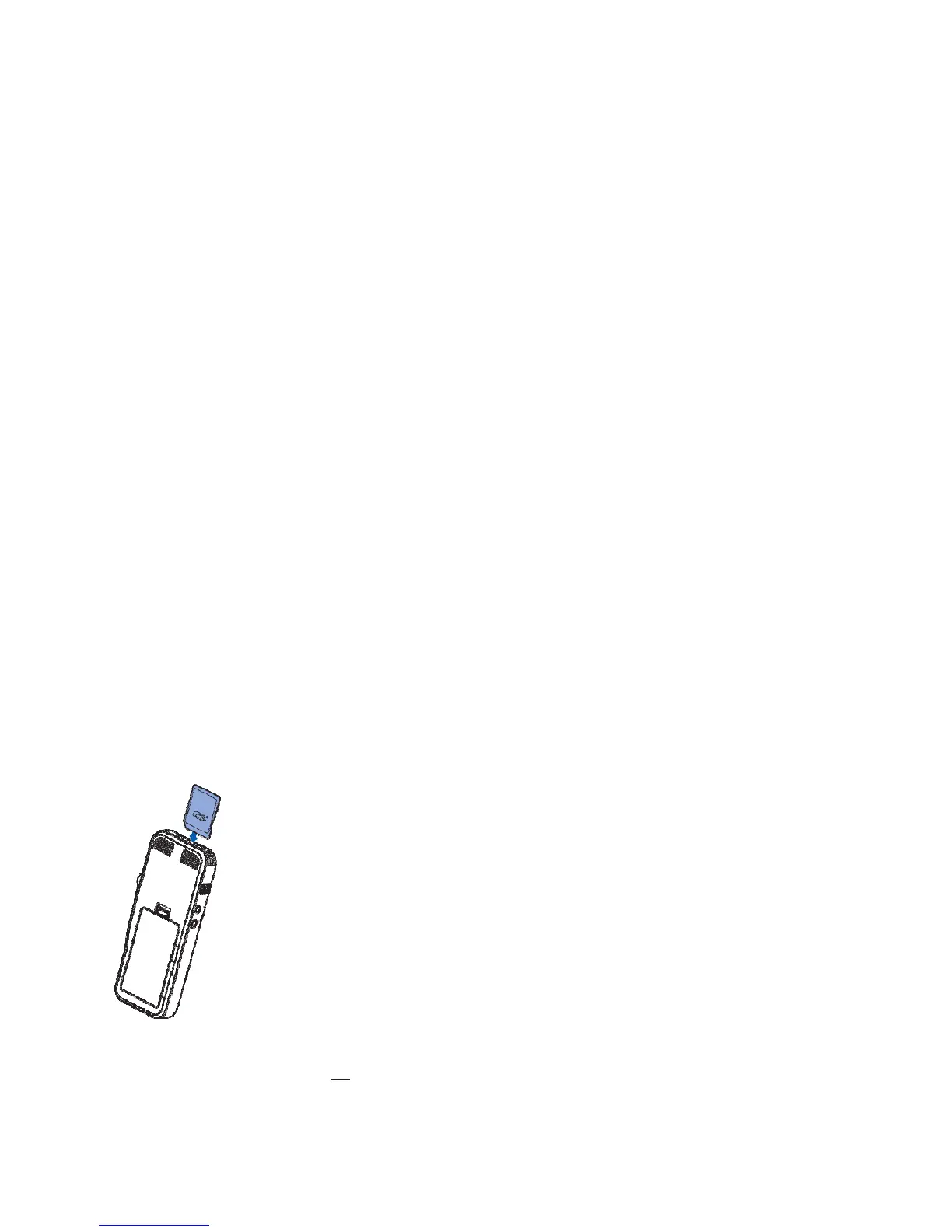
To insert and eject a memory card:
1
Turn off the recorder and locate the memory card slot on the top of the recorder.
2
To remove the memory card press the memory card slightly until the locking mechanism unlocks and the card is
ejected.
3
Insert a memory card with the gold-colored contacts facing down toward front of the device. Push the memory card in the
memory card slot until it clicks and locks in place. The memory card should be fully inserted into the recorder with no part
of the memory card sticking out of the recorder.
**Note: SD memory cards have a lock switch built into them that allows the card to function as "read only". Recording is not possible if
the memory card is in read-only mode. If your recorder is showing a lock symbol or the record button is not showing, make sure the
switch on the side of the memory card is not set to the lock position. If the switch is in the lock position you will not be able to record.


 To Next Page
 Loading...