- 3 -
PRODUCT OVERVIEW
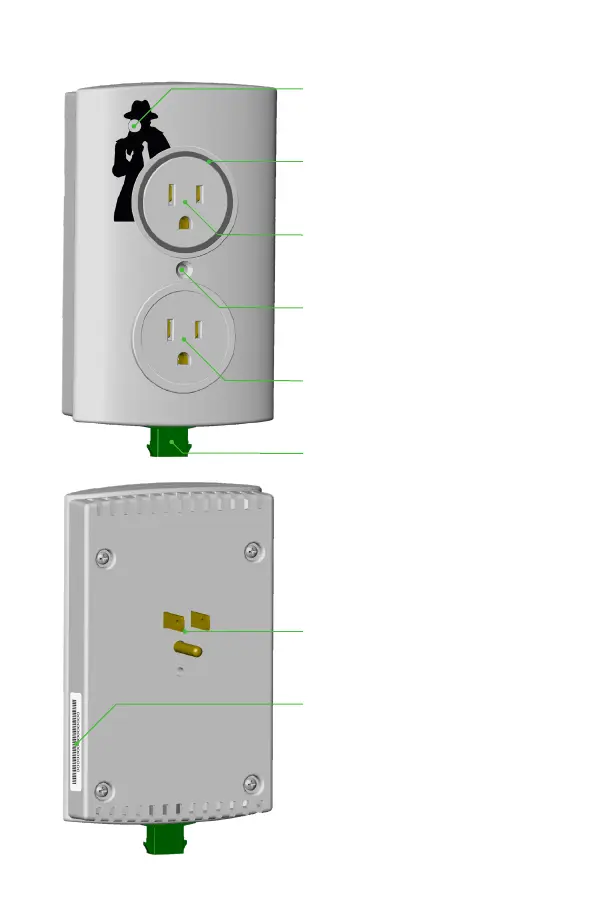
WiFi Setup Button
Use the included tool to push
the recessed button.
Status Indicator LED
Provides status information.
More details on page 7.
Monitored AC Receptacle
Monitors the connected pump’s
current draw and runtime.
Wall Plate Screw Hole
Gives the optional ability to
mount to an AC wall outlet.
Float Switch Connection
The connection for the included
High Water Float Switch.
AC Connection Prongs
Connects the device to AC
power.
Device ID
The unique device identication
number.
AC Receptacle (Not Monitored)
Allows other devices to be
plugged into AC power.



 To Next Page