- 8 -
ALERTS
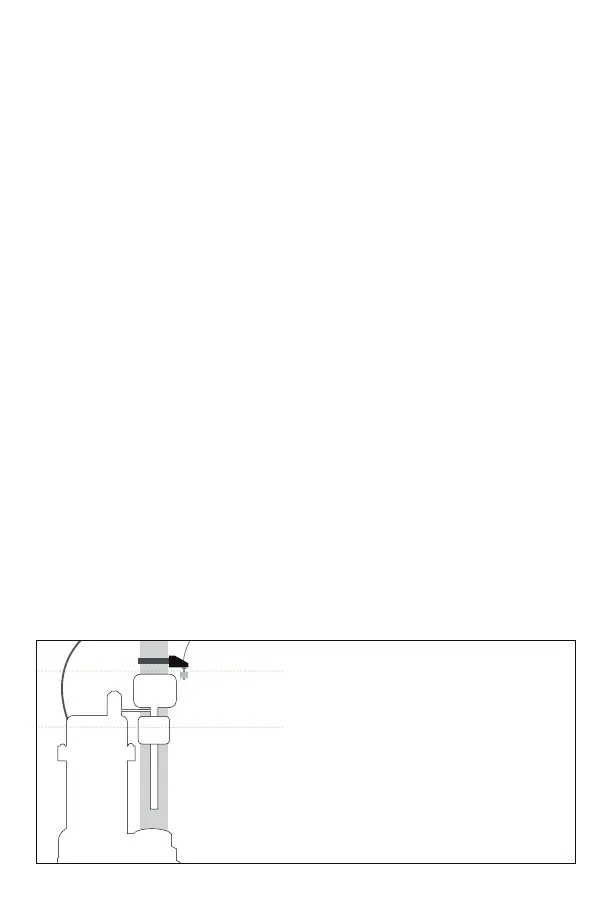
HIGH WATER FLOAT SWITCH DIAGRAM
The PumpSpy Smart Outlet 2.0 will monitor the connected pump
and send alerts when problems arise.
High Water
This alert is triggered when the High Water Float Switch is
activated. Inspect the pump for proper operation.
Excess Runtime
The monitored pump has been running more than 5 minutes.
Inspect the pump for a stuck oat switch or a blocked discharge.
Excess Current Draw
The monitored pump is drawing more current than normal.
Inspect the pump for proper operation or a blocked discharge.
AC Power Loss
The connection to AC power has been lost. If other devices have
power, inspect for a tripped GFCI or breaker.
WiFi Connection Loss
The connection to a WiFi network has been lost. Conrm that the
router and modem have power and an Internet connection.
Pump Activation Level
High Water Float Switch Activation



 To Next Page