Filter Change Indicator
The FILTER icon lighting up indicates that it is time to replace the H13 HEPA filter.
Replace the filter according to the following instruction then press the RESET button and
hold for 3 seconds to restart the system, the warning light will turn off.
The HEPA Pre-Filter should be cleaned at least once a month or as needed. See pre-filter
maintenance below for instructions.
The Activated Carbon Filter should be replaced as needed. This filter traps odors and other
pollutants in the air similar to how a sponge works. Once it has trapped as much as it can
hold it will no longer be effective. This is when it needs to be replaced. A great indicator is
when you notice that it is no longer removing odor from the air. Everyone’s environment
is different and the life of this filter will vary depending on that environment.
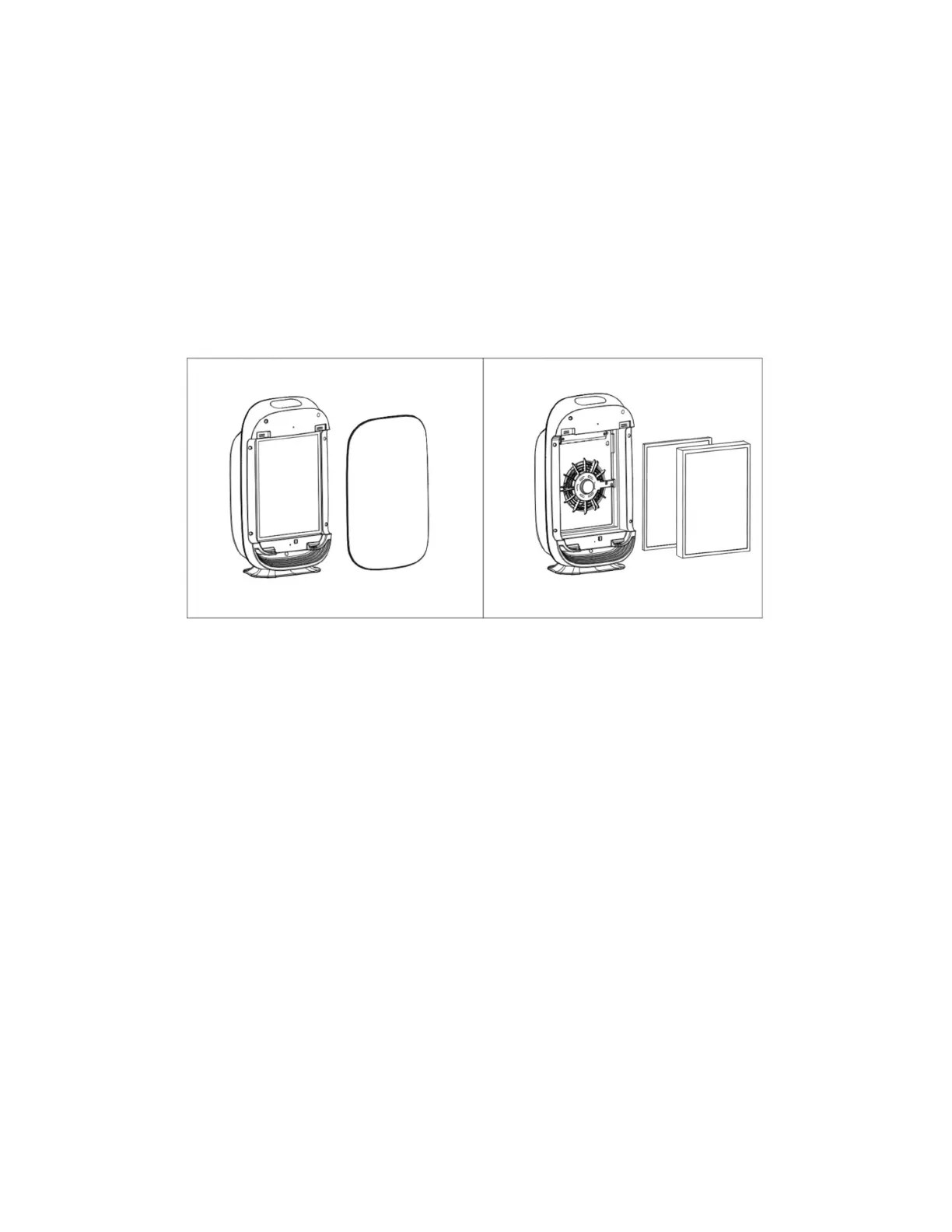
Open the front cover by pulling simultaneously on both sides of the top of the panel. The
bottom of the panel has ‘feet’ that rest in corresponding slots.
Remove the filters by pulling the two strips on top and bottom of the filter.
Insert new filters into the air purifier according to the direction of airflow shown on the
filters. The pull tabs should be on the outside where you can see them.
Reattach the front cover of the air purifier by placing the ‘feet’ on the back of the panel into
the slots that they were removed from. Gently and securely press the panel top into the air
purifier. The magnets should catch and hold the panel in place..
Press and hold the reset button for 3 seconds to reset the filter.


 To Next Page