
 Need help?
Do you have a question about the PURE Contour i1 Air and is the answer not in the manual?
Details the parts and conditions covered by the Pure warranty.
Provides contact information for making a warranty claim.
Lists exclusions from the Pure warranty coverage.
Outlines the primary uses of the Contour i1 Air device.
Step-by-step guide for initial setup of the Contour i1 Air.
Details the functions of each button on the Contour i1 Air remote control.
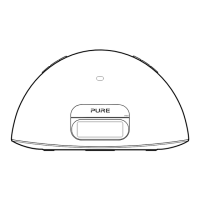
Identifies and explains the physical buttons and ports on the Contour i1 Air unit.
Describes how to manage the power states (Sleep, Standby, On) of the Contour i1 Air.
Guides on connecting the Contour i1 Air to a wireless or wired network.
Step-by-step guide for connecting using Apple Wi-Fi Network Login Sharing.
Instructions on how to select AirPlay as the audio input source on Contour i1 Air.
Guides on playing audio wirelessly using AirPlay from Apple devices or iTunes.
Steps for connecting and docking an iPod, iPhone, or iPad.
Detailed steps for configuring the alarm function, including time, days, and mode.
Detailed technical data including compatibility, speakers, connectors, and dimensions.
 General
| Radio type | FM |
|---|---|
| Audio output channels | Stereo |
| Power Output | 30 W |
| Connectivity | Bluetooth |
| Compatibility | iOS, Android |
| Type | Wireless Speaker |
| Features | FM radio |
| Wireless technologies | Bluetooth |
| Frequency Response | 20 kHz |
| Inputs | 3.5mm audio jack |

 To Next Page