EasyManua.ls Logo

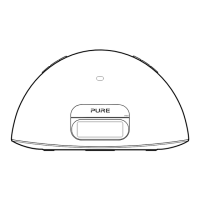
PURE Contour i1 Air - Controls and connectors

PURE Contour i1 Air
28 pages
Print Icon
To Next Page IconTo Next Page
To Previous Page IconTo Previous Page
Loading...
10
Controls and connectors
Contour
i1 Air
12V DC Wi-Fi
Setup
Aux In
Ethernet
Bass port
Remote control
holder
Storage recess for
remote control.
DC In
Connector for supplied
mains power adapter.
Wi-Fi Setup
Button used
when setting up a
wireless network.
See page 13.
Aux In socket
Connector for
analogue stereo input
for iPod/ MP3 player.
See page 16.
Ethernet
Connector for network
cable. Use as an
alternative to Wi-Fi
setup.
On/Sleep/
Standby
Source
Press to change
between AirPlay,
iPod and
Auxiliary input.
Snooze/Sleep
If an alarm is sounding, press to
snooze.
Press to set the sleep timer interval.
Mute
Volume down
Volume up
iPod/iPhone/
iPad dock
Press the right
hand end of the
front panel to
release the iPod
dock.
Contour_i1_Air_manual_Aus_v1.indb 10 7/29/2013 4:29:52 PM