4
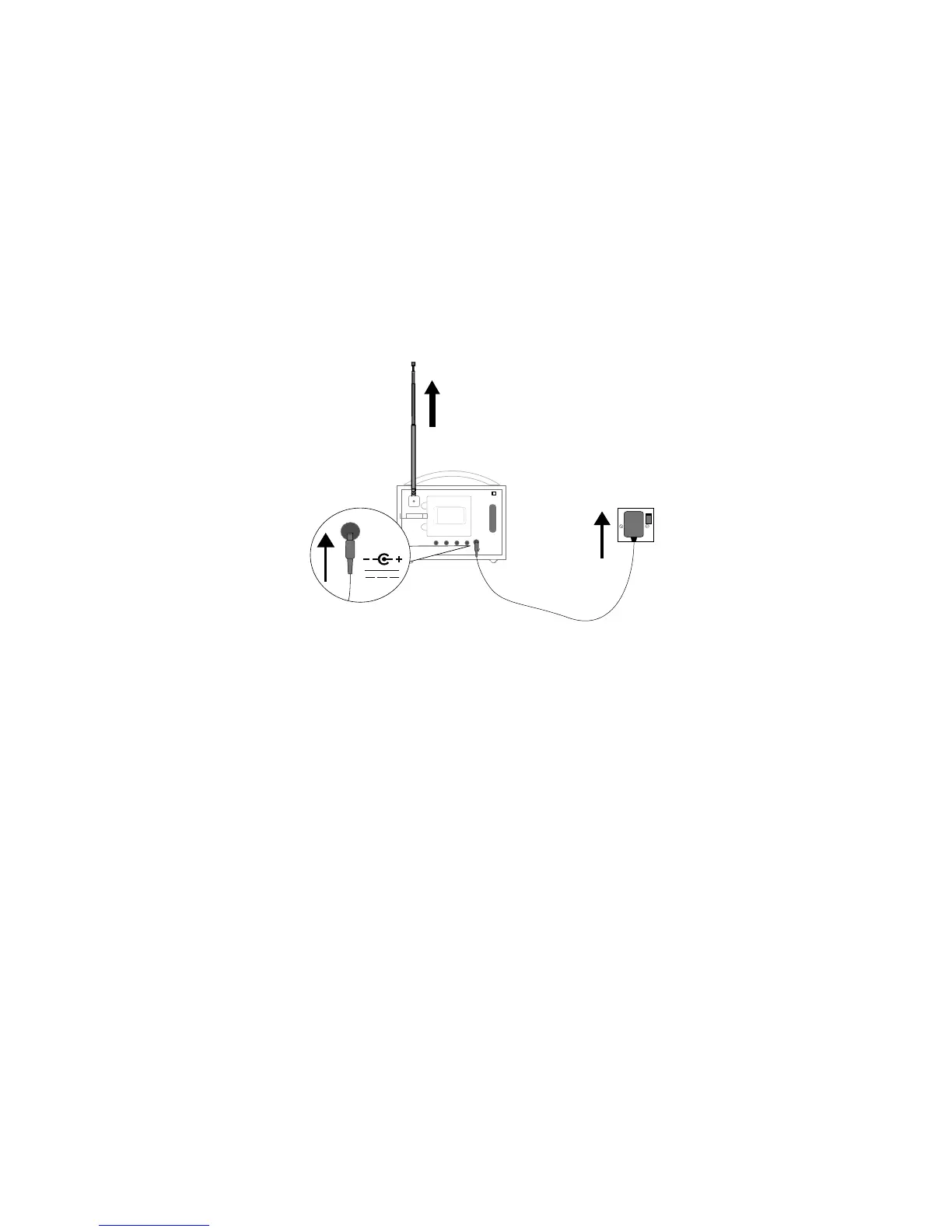
Extend the aerial and insert the connector of the supplied power adapter into the 5.5V DC
input on the rear of Evoke Flow. Plug the adapter into the power supply. Pure is displayed
briefly on‑screen.
Getting started
Quick start
Note: If you have a ChargePAK E1 rechargeable battery (sold separately) fit it now before plugging in Evoke
Flow. See page 17 for more information.
Choose your display language (English, French, German or Italian) by turning the Select dial
to highlight the language you want. Push the Select dial in to confirm your choice. Repeat this
process to select the time zone and region closest to you.
The audio source screen is displayed, showing the following options. Turn the Select dial to
highlight and press to select from:
Digital radio
See page 11
Pure Connect
See page 8
Media player See page 10
FM radio See page 11
Auxiliary input See page 6
1
2
3
Stereo Out
Aerial
Aux InAux Speaker
6V DC
Stereo Out Aux InAux Speaker
6V DC
6V DC
A
B



 To Next Page