5
Changing the information shown on screen
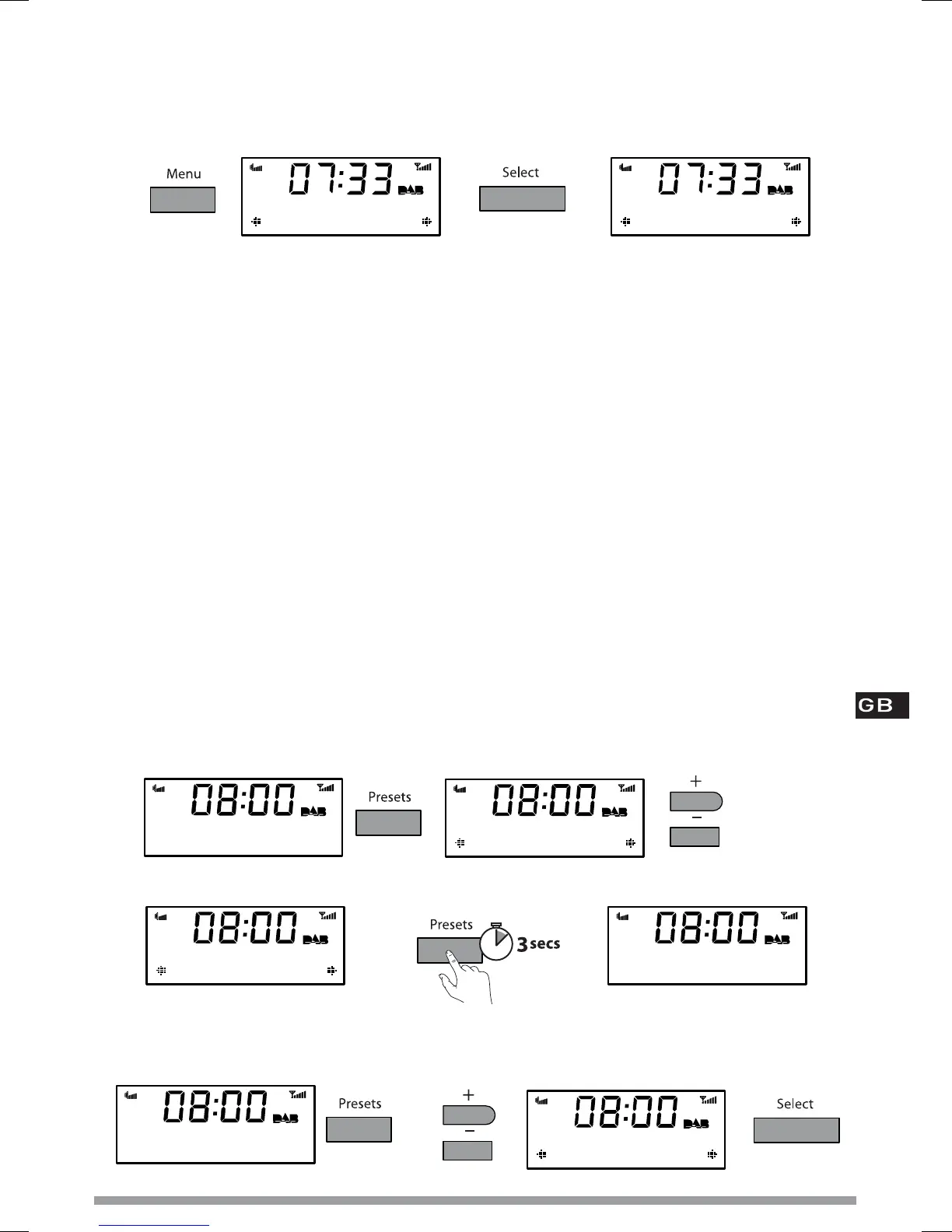
1. In DAB or FM, press the Menu button then press Select to access the ‘Info display’ options.
2. Change the current information display option using +/− to browse and select to choose:
Scrolling text Info broadcast by most DAB stations and FM (RDS) stations.
Date Displays the current date below the station name.
Programme type Content broadcast by the current station, e.g., Pop Music.
Sig. strength
Displays a signal strength meter.
Sig. quality Displays DAB signal quality: 85 to 100 Good, 70 to 84 OK, 0 to 69 poor.
Bit Rate Displays DAB signal data rate and a stereo or mono indicator.
Multiplex name Displays the DAB multiplex in which the current station is broadcast.
Multiplex info Displays the channel and frequency of the current Multiplex, e.g., 12B.
Mono/stereo (FM) Indicates stereo or mono sound (only available in FM).
Storing and selecting presets
Store up to 10 DAB and 10 FM radio stations for easy access to your favourite stations.
To store a preset
1. Tune to the DAB or FM station you want to store.
2. Press the Presets button and use +/− to scroll to a preset number between 1 and 10.
3. Press and hold the Presets or Select button for 3 seconds until you see ‘Preset saved’ message.
To select a preset
When listening to DAB or FM, press Presets to access the DAB or FM preset list. Use +/− to
browse to the stored preset number, e.g. Preset 2, and press Select to listen.
Info display
Empty preset
Preset 04
SMOOTH Radio
by Luther Vandro
Using the radio
(Menu > Info display)
Scrolling text
Scrolling text
SMOOTH Radio
Preset 04 saved Empty preset
Preset 04
Absolute Radio
Smooth Radio
Preset 04







 To Next Page