8
Listening to radio
Listening to digital radio
Press the Source button to switch to ‘DAB’.
Changing digital stations
1. Press the Station button so that the < >
symbols are shown on the display.
2. Scroll < > to the desired station.
3. Press the Station button to tune into the station.
Listening to FM radio
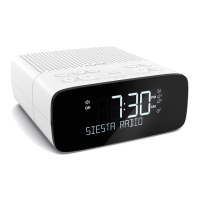
Press the Source button to switch to ‘FM’.
Seek tuning
1. Press the Station button so that the < >
symbols are shown on the display.
2. Hold either the scroll up or scroll down < >
button until Siesta starts to automatically scan
for the next station. The scan will stop when a
station with a strong signal is found.
Manual tuning
1. Press the Station button so that the < >
symbols are shown on the display.
2. Press < or > to scroll to the required frequency.
23:00
FM
FM
< >
23:00
ABSOLUTE
23:00
88\00 MHZ
23:00
< >
FM
88\00 MHz
23:00
FM
DAB


 To Next Page
 Loading...