12
SETTING WORKOUTS
Workouts may be set by pressing the P button
Press the P button once to set distance workouts / twice to set time workouts
Distance Workouts
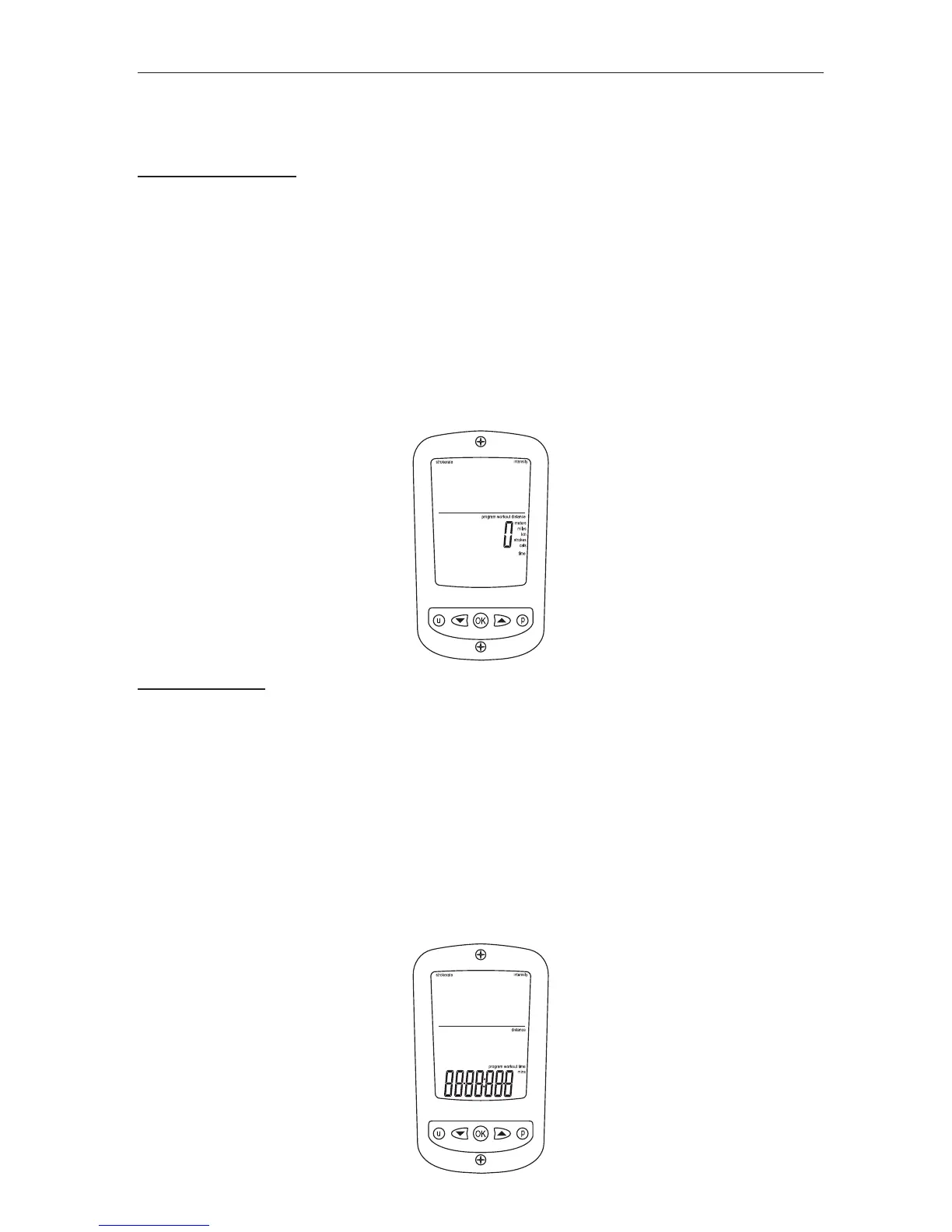
• Press the P button until only distance digits appear along with Program Workout
Distance ag (see image below) with the distance units ashing
• Using the ARROW buttons scroll to the desired workout distance
- The UP ARROW button increases the distance by 50 meters
- The DOWN ARROW button decreases the distance by 10 meters
Holding either button accelerates scrolling
• Once the desired workout distance is reached press OK and the monitor will return
to Ready Mode with the set distance in the Distance Window
• When rowing starts distance will count down
Time Workouts
• Press the P button until only the time digits appear along with Program Workout
Time (see image below) with the time units ashing
• Using the ARROW buttons scroll to the desired workout duration
- The UP ARROW button increases the time by 1 minute
- The DOWN ARROW button decreases the time by 10 seconds
Holding either button accelerates scrolling
• Once the desired workout duration is reached press OK and the monitor will return
to Ready Mode with the set time in the Time Window
• When rowing starts time will count down


 To Next Page