ENGLISH
Set up:
Connect the device to the mains and wait a few seconds until it is ready for operation.
Menu:
Navigation in the menu is via the four menu buttons below the display. Use the "Mode" button to
activate the menu, navigate via the "Up" and "Down" buttons. A corresponding selection is
confirmed with the "Enter" key.
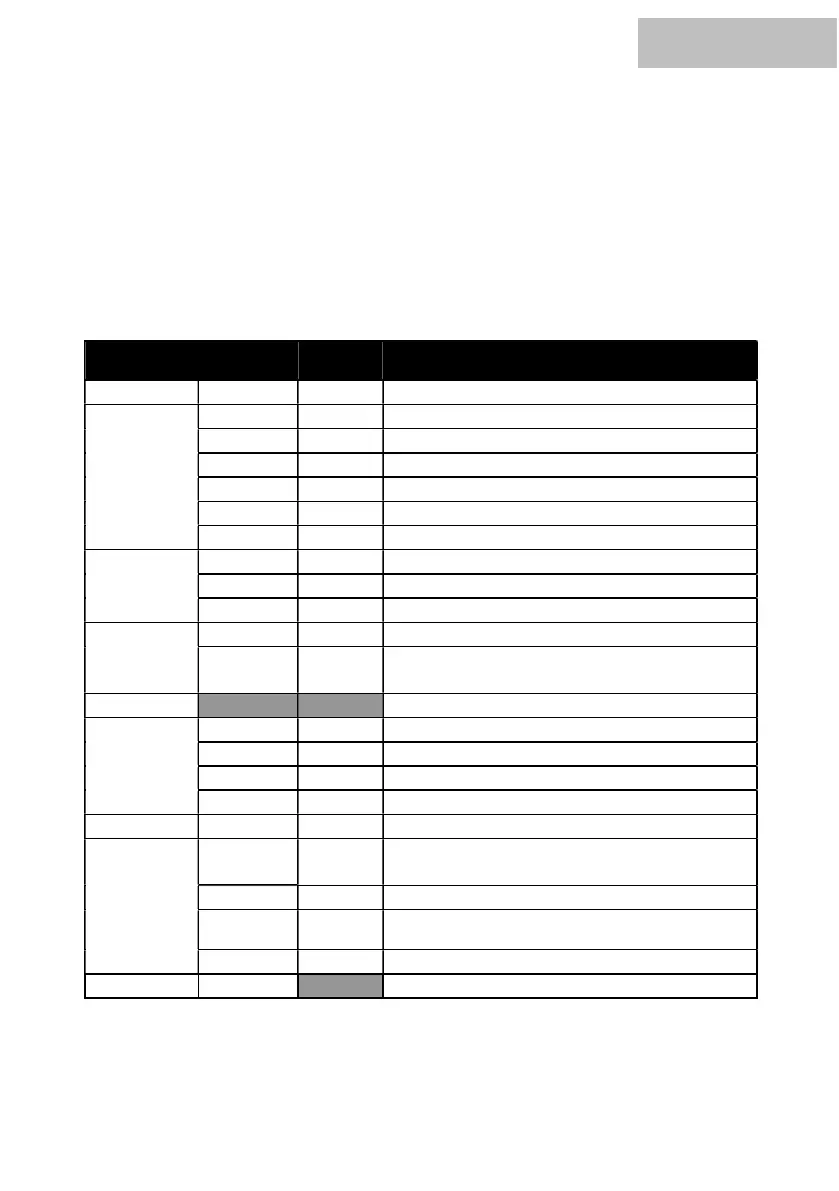
The menu structure in detail:
(comparable)
sensivity of the Microphone
1-9 increasing sensitivity
program selection of static color
off after 10Sec; 20Sec; 30Sec; 60Sec
LCD Display continuous on
Running direction of the individual segments
(1-16/16-1)
zeigt die aktuelle Firmwareversion


 To Next Page