-9-
ENGLISH
10. TX INSTALLATION
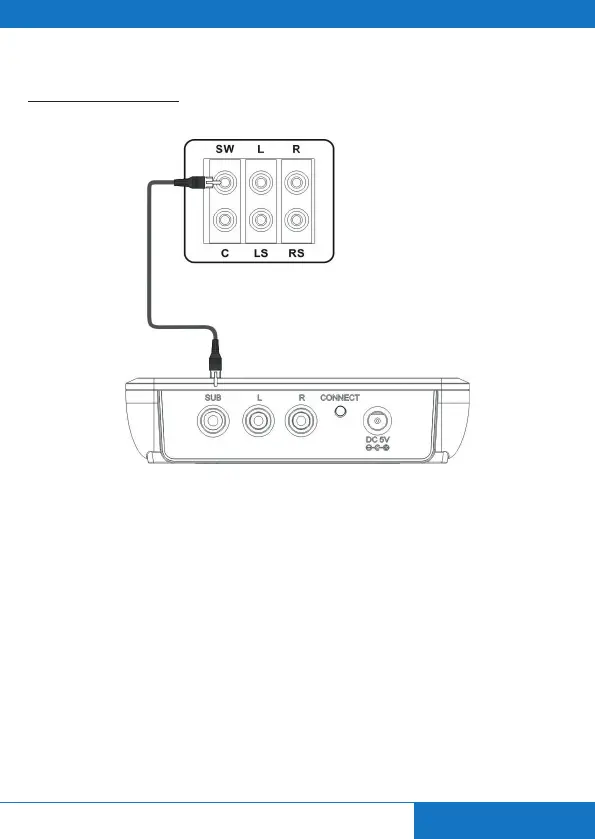
With RCA Subwoofer Cable:
Step1: Take out the CSW620 TX.
Step2: Take a Subwoofer Cable (purple), connect the RCA connector to the SUB socket on the TX
unit and the other end to the Subwoofer of your 5.1 audio system.
Step3: Take out the AC/DC Power Supply. Plug the DC end to the DC socket of the CSW620 TX and
the AC end to your 90~240V AC outlet.
CSW620 TX - Back panel


 To Next Page