EasyManua.ls Logo

Purell ES10 - User Manual

Purell ES10
2 pages
Print Icon
To Next Page IconTo Next Page
Loading...
PURELL
®
ES10 Dispensing System
Maintenance Guide
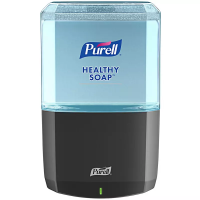
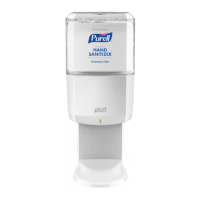
Our Simplest, Most Sustainable Touch-Free Dispensing System
Never change batteries* — fresh battery in every refill
Check multiple dispensers with just a glance
Eortless refills are easy to match and refresh the look of the dispenser
Distinct PURELL® brand design: engineered to fit everywhere
Easy to recycle: quickly pull apart collar and battery
SANITARY SEALED
refills help reduce potential for contamination
Meets ADA Requirements for depth
Question and Answer IconNeed help?

Do you have a question about the Purell ES10 and is the answer not in the manual?

Summary

Refill Cartridge Loading

Loading Refill Cartridge

Steps for opening the dispenser, inserting a refill, and closing the cover for operation.

Refill Cartridge Removal

Removing Refill Cartridge

Procedure for opening the dispenser and safely releasing the refill cartridge.

Disposal and Recycling

Disposing and Recycling Components

Instructions for safely removing and disposing of refill collar, bottle, and battery.

Dispenser Status LED

Understanding Dispenser LED Status

Explanation of LED light colors and their corresponding dispenser operational status.

Care and Cleaning Instructions

Cleaning and Maintenance Procedures

Guidelines for cleaning the dispenser, including refill removal and safe cleaning agents.

Purell ES10 Specifications

General IconGeneral
TypeHand Sanitizer Dispenser
Capacity1000 mL
MountingWall-mounted
MaterialPlastic
ColorWhite
Dispenser TypeAutomatic
Power SourceBattery
Dispensing MechanismInfrared sensor
RefillableYes

Related product manuals