Change your Passcode
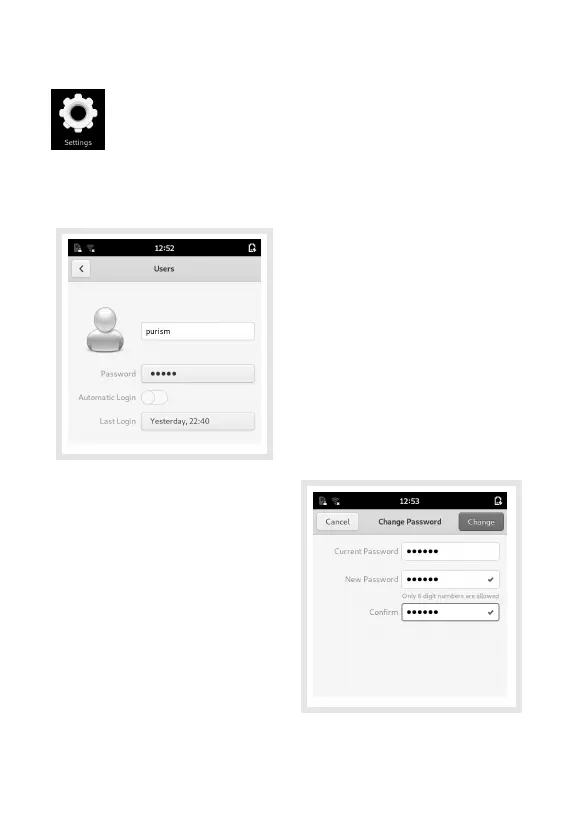
Open the Settings application to change
the default passcode.
Select the Details category in the list of settings, then
select Users.
Tap the button containing
the hidden text, next to the
Password label.
This opens the Change
Password dialog.
Enter your old passcode
in the Current Password
eld.
Enter your new pass-
code in both the New
Password and Conrm
elds.
Press the Change button at the top-right of the screen
to save the new passcode.
13



 To Next Page