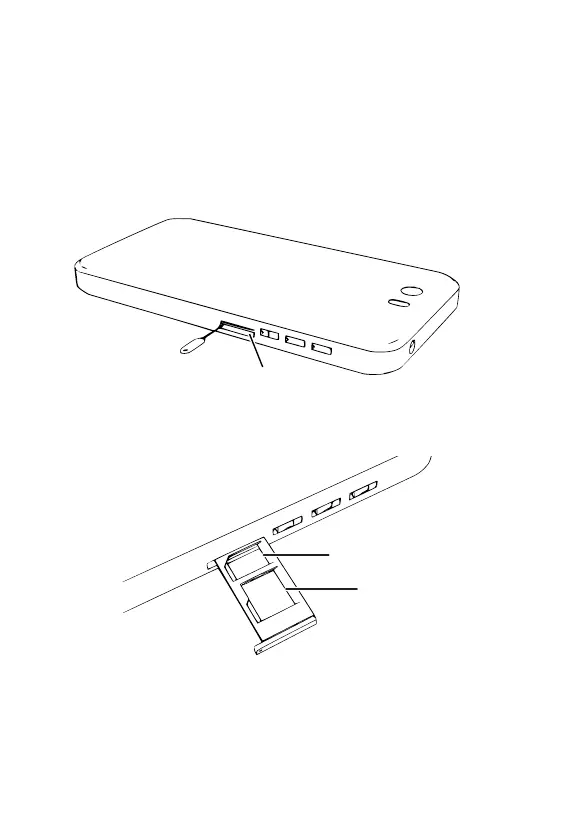
Install the nano-SIM and microSD Cards
Ensure that the phone is powered o.
Place the phone on a at, hard, level surface with the
screen facing down.
Insert the point of the extraction tool into the hole at
the end of the tray, at right angles to the side of the
phone.
Push the point rmly into the hole until the tray pops
out, then gently pull the tray out of the slot.
nano-SIM slot
microSD slot
1. Insert the nano-SIM card into the tray
2. Insert a microSD card into the tray (optional)
3. Insert the tray into the slot
The tray should click into place when closed.
4


 To Next Page