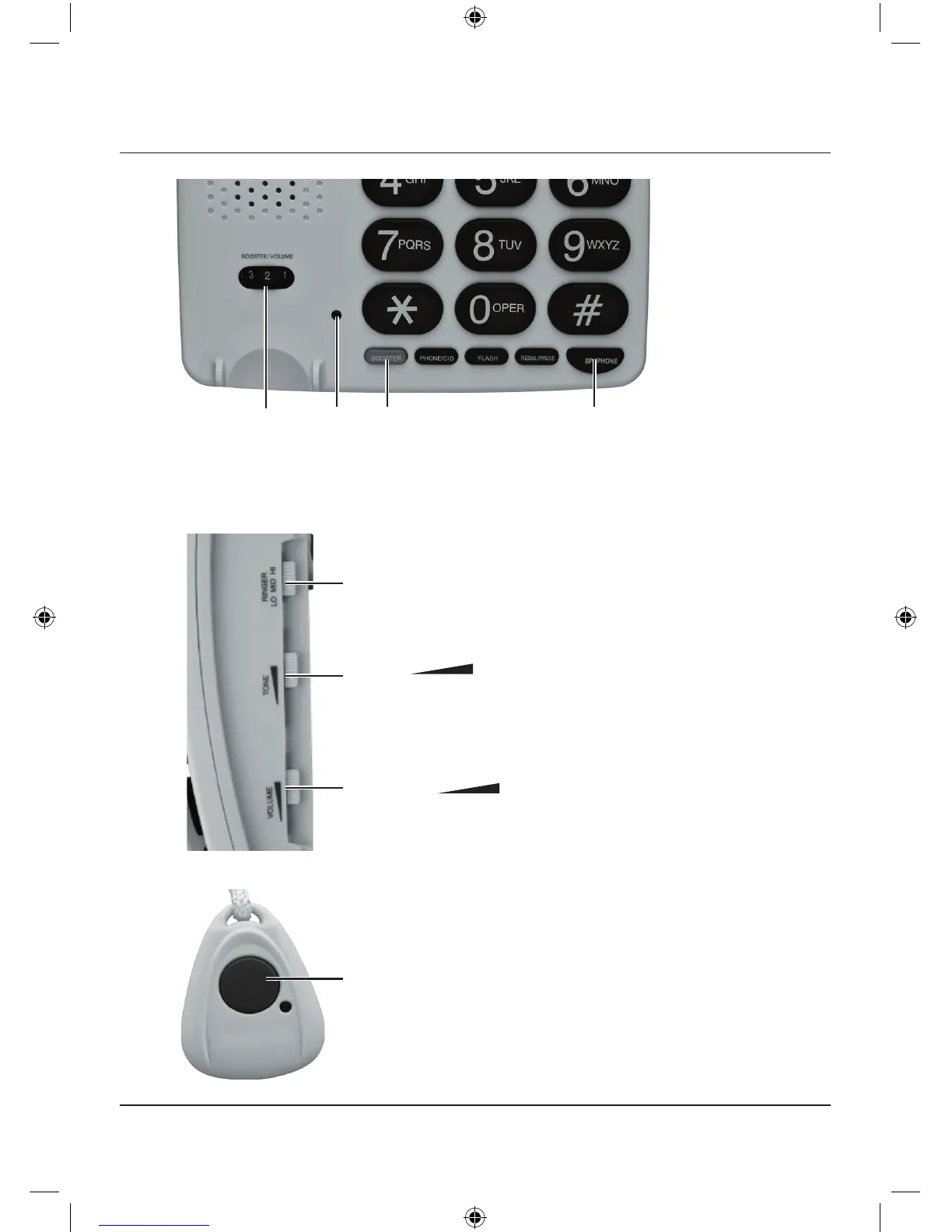
BOOSTER
LED lights when BOOSTER is activated.
Adjust BOOSTER/VOLUME for the desired
volume. Press BOOSTER again to deactivate.
This function is for the handset only.
5
Controls
SPKPHONE
Press to switch between the
handset and speakerphone, or
to make, answer or end call.
RINGER LO MID HI
Set the ringer volume: LO/MID/HI.
TONE
Slide to adjust the tone volume for the
handset when BOOSTER is activated.
VOLUME
Slide to adjust the speaker volume.
Hold down to activate or deactivate emergency call.
LED lights when the red button is pressed.
You can also press the red button to answer or end
a call in speakerphone mode.



 To Next Page