9
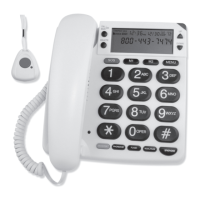
2. To pair your pendant to your phone, select PAIRING, press CALL
BACK/OK on the phone, PAIRING... appears, press the red button on
the pendant. If the pendant is successfully paired, PAIRED appears, if
not, PAIRING FAILURE would appear.
3. To cancel, select DELETE? and press CALL BACK/OK to confirm.
Making calls
Press SPKPHONE to switch between the handset and speakerphone for
convenient hands-free use. To end a call, press SPKPHONE again.
When on a call, press SPKPHONE to make or answer calls.
Caller ID
Your phone stores up to 64 Caller IDs. If you subscribe to Caller ID
service, your phone displays the following call information:
• Caller’s phone number - Your phone displays up to 14 digits. If the
number is longer, the display shows only the last 14 digits.
• Time and date of the call.
• Caller’s name (if you have this service).
If the Caller... Display Shows
New number not previously displayed
NEW
Call more than once
REPEAT
Blocked number or name
PRIVATE
No information sent (International or PBX call)
UNAVAILABLE
Calling from long distance
LONG DISTANCE
Invalid or uncompleted Caller ID
LINE ERROR
Your phone stores the caller information. To see Caller ID records,
repeatedly press UP or DOWN.
Note: The Caller ID’s time and date can update the time on you phone.


 To Next Page