4
Controls
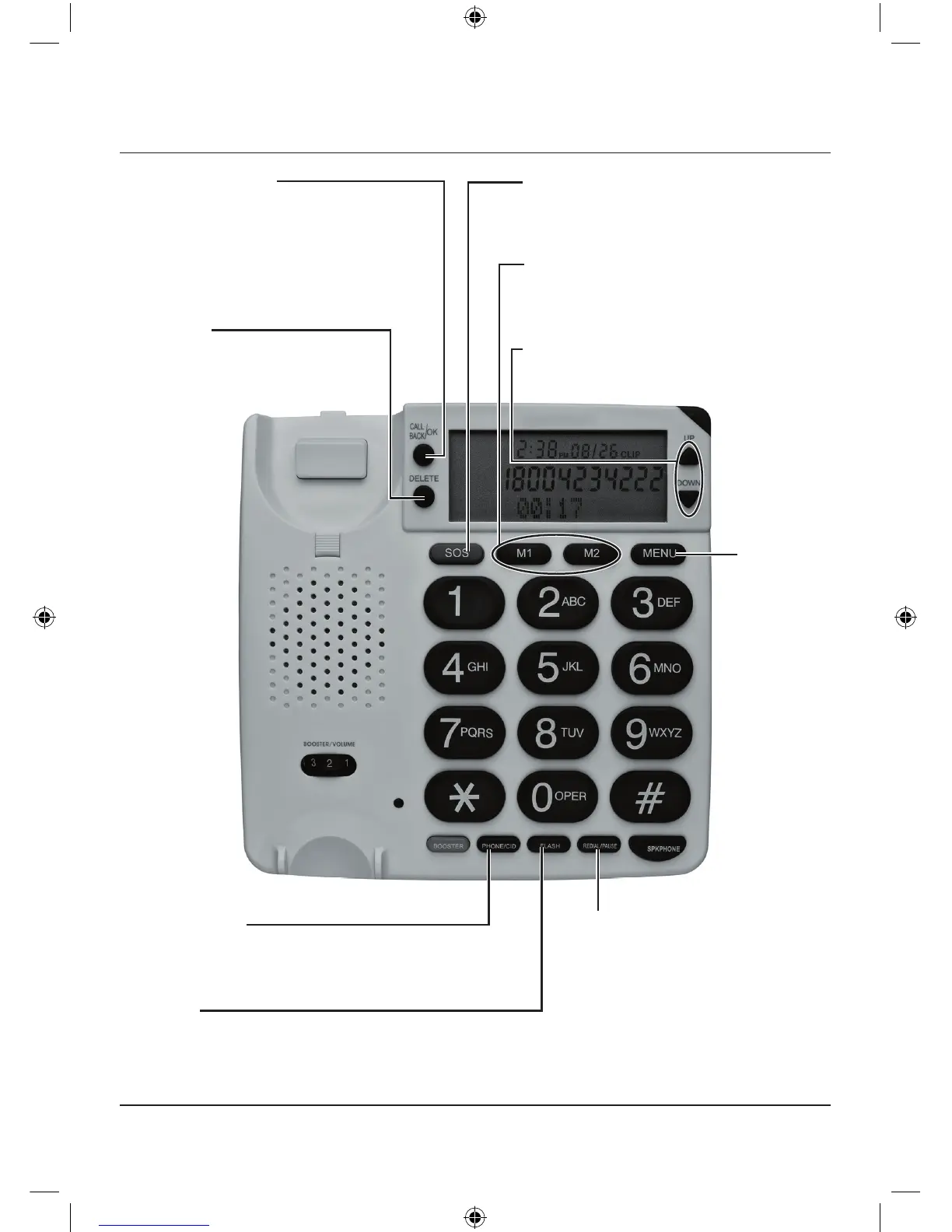
CALL BACK/OK
Press to confirm phone functions
or automatically dial the selected
caller ID record or phonebook
number.
DELETE
To delete selected
number/name/option.
SOS
Hold down to activate or
deactivate emergency call.
MI & M2
Store 2 numbers and dial with one
touch of a button.
UP/DOWN
Scroll up or down to select option.
PHONE/CID
Switch between phone book and
Caller ID when in standby mode.
FLASH
Press to produce a switchhook
signal for special services or to
disconnect the current call.
REDIAL/PAUSE
Press to view the last dialed
number, press REDIAL/
PAUSE or SPKPHONE or
pick up the handset to dial
the number. When on a call,
press to pause for about 4
seconds.
MENU
To select
options.


 To Next Page