08. START
MIC
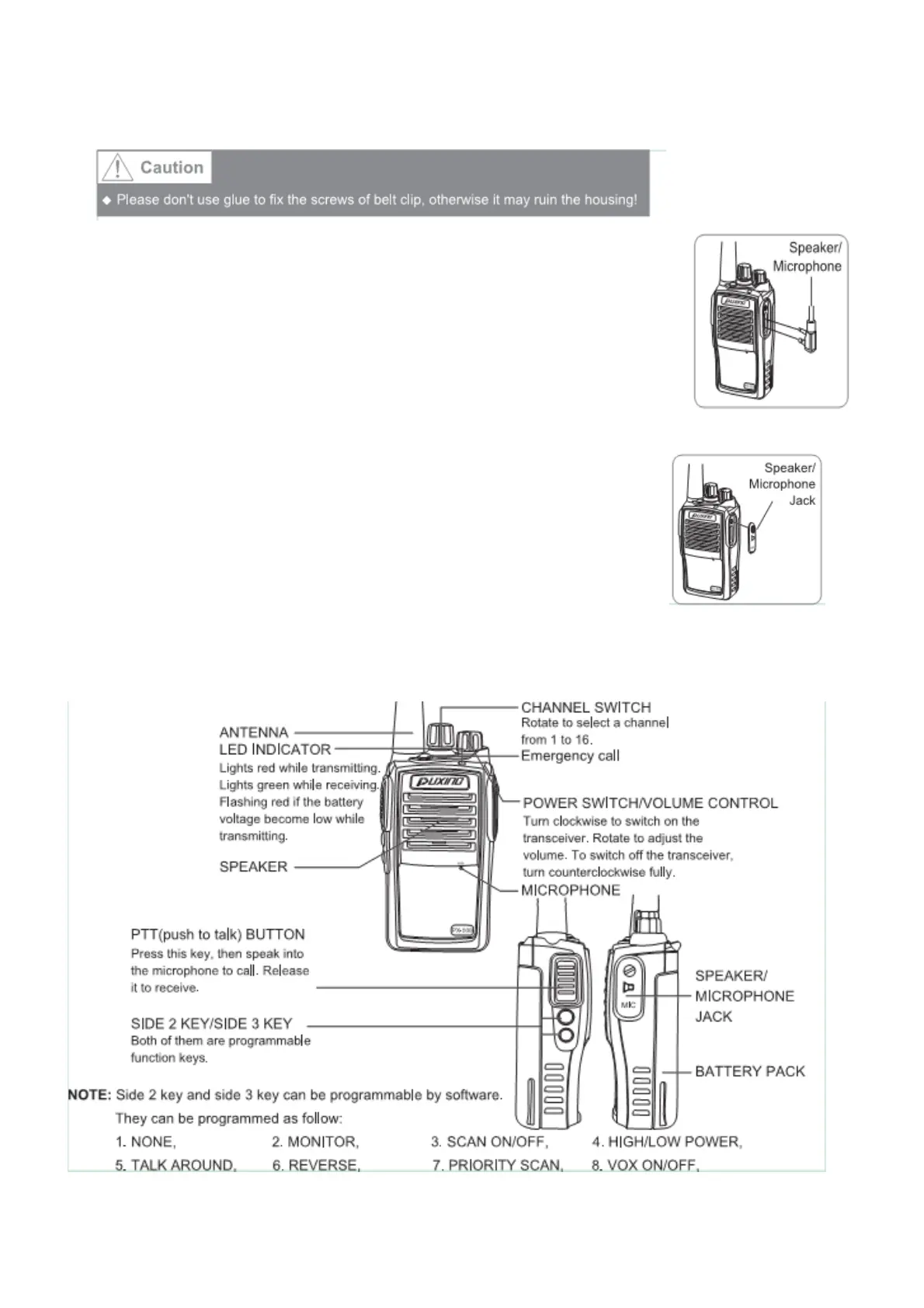
INSTALL SPEAKER/MICROPHONE
Insert the speaker/microphone plugs into the
speaker/microphone jack.
ote:
The radio is not entirely waterproof when use the
speaker/microphone
INSTALL THE COVER OVER THE SPEAKER/MICROPHONE JACKS
If not use a speaker/microphone, please use the screw to
install the cover over the speaker/microphone jack.
09. CONTROLS


 To Next Page