2.4 MENU
LANG
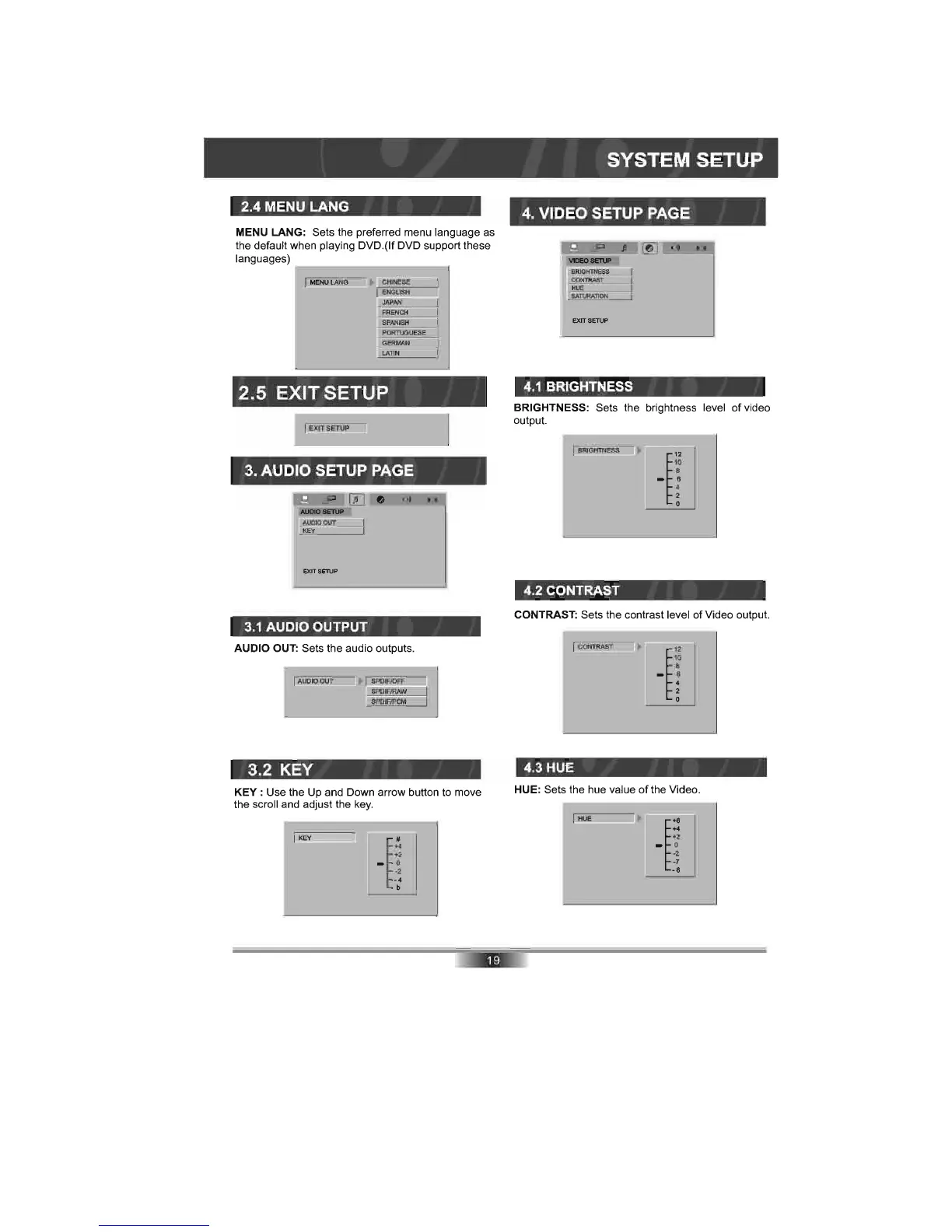
MENU LANG: Sets the preferred menu language as
the default when playing DVD.
(lf
DVD support these
languages)
....----------J
MENU
LANG
~
,
;.;
~:;.:~~:;::N~:;:~
;.---I
.
JAPAN
2.5 EXIT SETUP
EXITSETUF'
3. AUDIO SETUP PAGE
=lE
lTI
----
AUDIO OUT
KEY
EXIT SETUP
3.1
AUDIO OUTPUT
AUDIO OUT: Sets the audio outputs.
UDIQ
~
r,:;
:
~
PD
~
:
F
§
IRJ>i
~
W
O=:,I
SPDIFIPCM
3.2 KEY
KEY:
Use the Up and Down arrow button to move
the scroll and adjust the
key.
KEY
~
~
_ 0
·2
·4
b
SYSTEM SETUP
4.
VIDEO SETUP PAGE
4.1
BRIGHTNESS
BRIGHTNESS: Sets the brightness level of video
output.
~
B
=
~G
=
~
==
E~
=-
~
'
~
rr=====~
~
~
4.2 CONTRAST
_ 6
4
2
o
CONTRAST: Sets the contrast level
of
Video output.
~
c
=
~
==~
-'~
rr===~~
~
~
4.3 HUE
_ 6
4
2
o
HUE: Sets the hue value of the Video.
HUE
r
+2
_ 0
·2
·7
·6



 To Next Page