SYSTEM SETUP
4.4 SATURATION
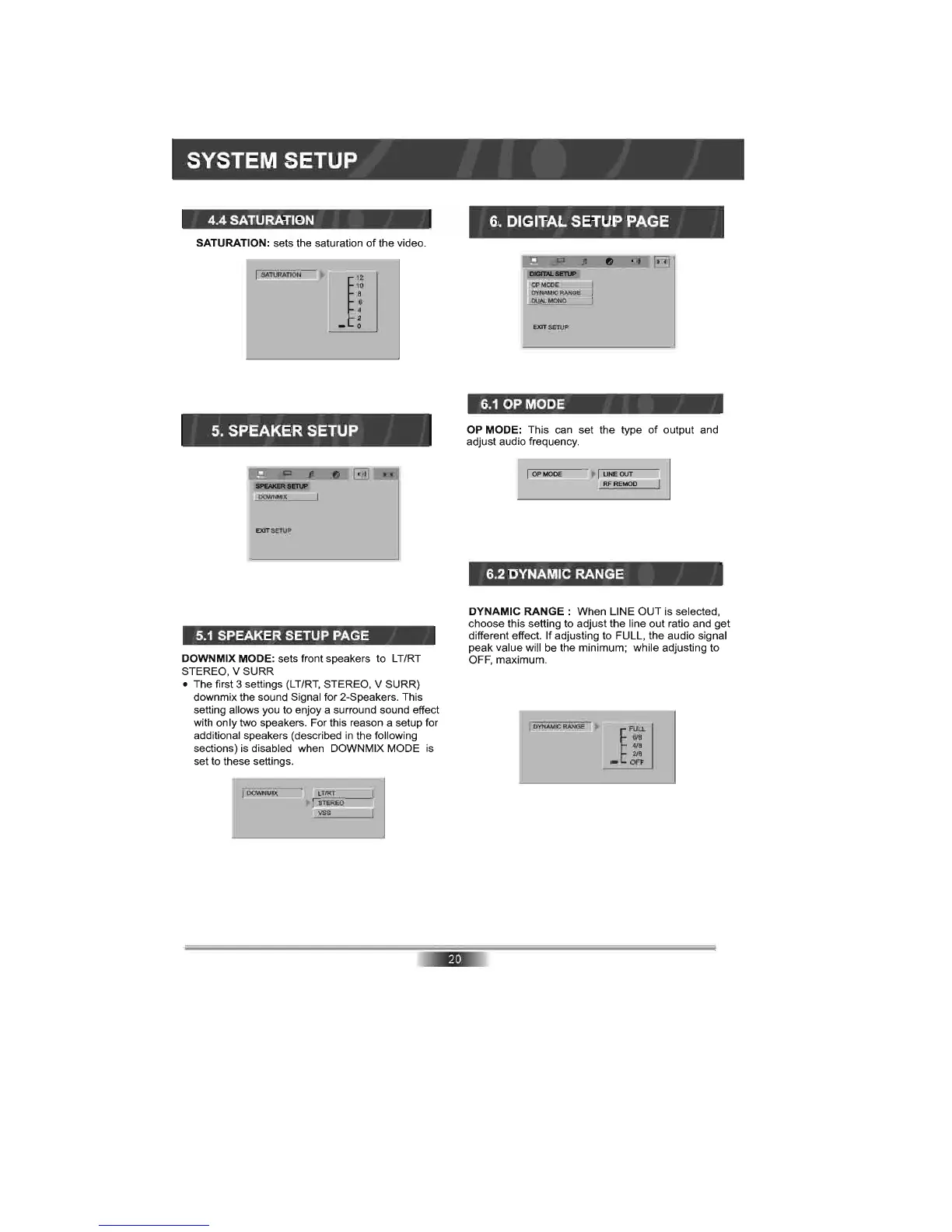
SATURATION: sets the saturation
of
the video.
SATURATION
~
12
10
8
6
4
2 _ 0
5.
SPEAKER SETUP
EXlTSETUP
5.1
SPEAKER SETUP PAGE
DOWN MIX MODE: sets front speakers to LT/RT
STEREO, V SURR
• The first 3 settings
(LT/RT,
STEREO, V SURR)
downmix the sound Signal for 2-Speakers. This
setting allows you to enjoy a surround sound effect
with only two speakers. For this reason a setup for
additional speakers (described
in
the following
sections) is disabled when DOWNMIX MODE
is
set to these settings.
6. DIGITAL SETUP PAGE
EXlTSETUP
6.1
OP MODE
OP MODE: This can set the type
of
output and
adjust audio frequency.
Of'MODE
6.2 DYNAMIC RANGE
DYNAMIC
RANGE:
When LINE OUT is selected,
choose this setting to adjust the line out ratio and get
different effect. If adjusting to FULL, the audio signal
peak value will be the minimum; while adjusting to
OFF, maximum.
DYNAMIC
RANGE
~
~
F:
2/8
-
OFF



 To Next Page