2. Applications
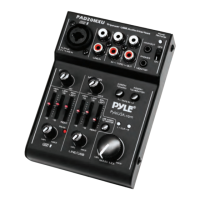
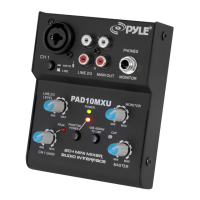
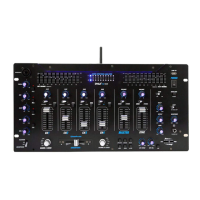
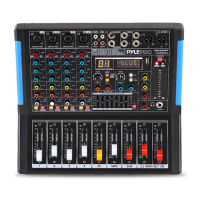
This compact 5-channeI audio mixer with USB interface is suited for universal
applications, e. g. For audio recording on the computer. The mono input channel
allows to connect a (phantom powered) microphone; the stereo input channel
allows to connect an audio source with line signal level. In addition, the mixer is
provided with connections for a recorder and headphones. The mixed signal is
sent to the output via a 3.5mm jack and the USB port. It is also possible to use
the USB port as an input to transfer audio data from the computer to the mixer.
When connecting the mixer to a computer, power is supplied via the USB
connection. When operating the mixer without a computer, either use a suitable
power supply unit with USB connection or operate the mixer via the integrated
rechargeable lithiumion battery. The battery is charged when the mixer is
connected to the power supply via the USB port.
3. Important Notes
This unit corresponds to all relevant directives of the EU and is therefore
marked with .
• The unit is suitable for indoor use only. Protect it against dripping and
splash of water, high air humidity and heat (admissibIe ambient temperature
range 32-104°F).
• For cleaning, only use dry soft cloth; never use water or chemicals.
• No guarantee claims for the unit and no liability for any resulting personal
damage or material damage will be accepted if the unit is used for other
purposes than originally intended. If it is not correctly connected or operated,
or if it is not repaired in an expert way.
If the unit is to be putout of operation denitively, take it to a locaI recycling
plant for a disposal which is not harmful to the environment.
4 5
4. Audio Connections
Prior to connection, always turn back the output controls MONITOR/PHONES
(10) and MASTER (14) to "0".
1. The input MIC IN (1) of the mono channel CH 1 allows to connect a microphone
via XLR plug or 6.3 mm plug. Both the XLR jack and the 6.3 mm jack of the
combined jack are balanced. The XLR jack always supplies a 18 V phantom
power and it thus suitable for a condenser Microphone operated with this
phantom power.
Caution! Do not connect microphone with unbalanced output via XLR plug.
It may be damaged by the phantom power.
2. The input LINE IN (2) of the stereo channel CH 2 allows to connect an audio
source with line signal level (e.g. CD player) via RCA plugs: L = left channel, R =
right channel.
3. It is possible to use the RCA jacks TAPE IN (3) and OUT (4) to connect a stereo
recorder:
• Connect the recording output of the recorder to the input TAPE IN.
• Connect the recording input of the recorder to the output TAPE OUT; the
output signal adjusted with the MASTER control (14) is sent to this output.
However, it is also possible to use the jacks for other units with line signallevel,
e.g. to connect a CD player or MP3 player to TAPE IN or to connect an amplier
to TAPE OUT.
4. The 3.5 mm jack MONITOR/PHONES (9) allows to connect stereo headphones
(impedance≥16Ω). Thus, you will be able to monitor the output signal adjusted
with the control MASTER (14) or the Input signal of the jacks TAPE IN (3) via
headphones.
5. At the stereo output MAIN OUT (7), the output signal adjusted with the MASTER
control (14) is present. This output allows to connect e.g. an amplier or a
second mixer via 3.5 mm plug.
6. When operating the mixer with a computer, it is possible to use the USB port (5)
for digital output of the mixed signal to the computer and for feeding digital
audio data to the mixer. To Connect the port see chapter 5.1.
www.PyleUSA.com www.PyleUSA.com
If the unit is to be put out of operation denitively, take it to a
local recycling plant for a disposal which is not harmful to the
environment.


 To Next Page
 Loading...