Need help?
Do you have a question about the Pyle PBMSQG9 and is the answer not in the manual?
Details the function of each button and port on the speaker, including Aux-in, charging, power, playback, and mode selection.
Guides on connecting the device via Bluetooth, playing music from a mobile phone, and controlling playback.
Instructions for playing music files from USB drives and Micro SD cards, including playback control and volume adjustment.
Steps to tune into FM radio stations, including antenna usage, auto-searching channels, and switching between stored stations.
How to connect external audio devices using the AUX-IN port and control playback.
Procedure for charging the speaker's battery, including charging time and indicator light behavior.
Highlights the main capabilities and design aspects of the Bluetooth speaker, such as its portability and audio system.
Information on Bluetooth version, network name, and wireless range for seamless device pairing.
Lists the items included in the product package, such as the speaker, charging cable, and audio cable.
Provides detailed technical data including power output, impedance, frequency response, and dimensions.
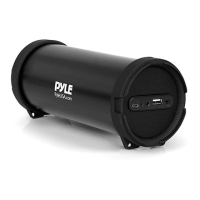
The Pyle PBMSQG9 is a compact and portable Bluetooth wireless speaker designed for versatile audio playback. This device integrates multiple functionalities, making it a comprehensive solution for personal audio entertainment on the go. Its primary function is to serve as a Bluetooth speaker, allowing users to wirelessly stream music from a wide array of Bluetooth-enabled devices such as iPhones, Android smartphones, iPads, tablets, and PCs. The speaker is equipped with Bluetooth version 4.2 and A2DP profile, ensuring a stable and high-quality audio connection with a wireless range of over 30 feet. The Bluetooth network name for connection is 'PyleUSA'.
Beyond wireless streaming, the PBMSQG9 offers several other playback options. It features a built-in MP3/USB/Micro SD reader, enabling users to play audio files directly from USB flash drives or Micro SD cards. This is particularly useful for situations where Bluetooth connectivity is not available or preferred. The device automatically plays music stored on inserted USB disks or Micro SD cards, with a blue LED light blinking slowly to indicate playback. Users can navigate through tracks using the "Previous" and "Next" buttons and adjust the volume by long-pressing these buttons. The "Play/Pause" button controls playback for both Bluetooth and local media.
Another significant feature of this speaker is its integrated FM radio. To use the FM radio, the provided audio cable acts as an antenna, which needs to be inserted to optimize signal reception. Once the power is on, users can switch to FM radio mode using the "Mode" button. The "Play/Pause" button initiates an auto-search for FM channels, storing them automatically. Users can then cycle through the stored channels using the "Previous" and "Next" buttons.
The PBMSQG9 also includes an AUX-IN jack, allowing for wired connection to external music devices such as MP3/MP4 players or any device with a "Line Out" port. The supplied audio line cable facilitates this connection. When an external device is connected via AUX-IN, most functions are controlled by the external device, with the exception of the "Play/Pause" button on the speaker itself.
The device is designed for ease of use with a side panel button control center. Key controls include an ON/OFF switch, "Play/Pause" button, "Previous/Volume Down" button, "Next/Volume Up" button, an EQ button for sound equalization, and a "Mode" button. The "Mode" button is crucial for switching between different playback states: Bluetooth, USB disk, Micro SD card, FM radio, and AUX-IN. When a USB disk or Micro SD card is inserted while in Bluetooth mode, the Bluetooth connection is temporarily disconnected, and playback switches to the inserted media. Users can easily revert to Bluetooth mode by pressing the "Mode" button again.
Maintenance features primarily revolve around its power management. The PBMSQG9 is equipped with a built-in rechargeable battery, making it highly portable. To charge the device, it must be powered off. The provided charger cable is connected to the charge slot on the unit, and the other end can be connected to a PC or a DC5V charger (not included). A red light charging indicator illuminates during charging. The typical charging time is between 3 to 5 hours. Once fully charged, the indicator light switches off. To prolong the battery's lifespan, it is recommended not to charge the device for more than 8 hours. The device also features a DC 5V input for power.
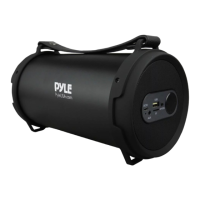
The speaker's design emphasizes portability, featuring a convenient carry handle. It is described as a 2-in-1 speaker plus radio, compact, portable, and high-powered, with a wireless Hi-Fi active stereo system and a digital sound amplifier. The housing is constructed from engineered ABS material, contributing to its durability. The overall user experience is designed to be straightforward, with clear instructions for each mode of operation. The LED light provides visual cues for different states, such as blue for Bluetooth connection and blinking for playback. The device aims to provide a robust and flexible audio experience for various listening preferences and environments.
 General
| Type | Portable Bluetooth Speaker |
|---|---|
| Microphone | Yes |
| Wireless | Yes |
| Speaker Type | 2-Way |
| USB/SD Card | Yes |
| Bluetooth Range | 30 feet |
| Woofer Size | 8 inches |
| Tweeter Size | 1 inch |
| Inputs | RCA |


 To Next Page