To Next Page
T
todd69Jul 28, 2025
What to do if my Pyle Amplifier has no sound?
- TtpadillaJul 28, 2025
If your Pyle Amplifier isn't producing any sound, ensure that all connections are properly made. Also, check the volume level and adjust it if it's too low.

What to do if my Pyle Amplifier has no sound?
If your Pyle Amplifier isn't producing any sound, ensure that all connections are properly made. Also, check the volume level and adjust it if it's too low.
Why is my Pyle Amplifier remote control not working?
If the remote control for your Pyle Amplifier isn't working, the batteries may be dead or improperly installed. Try replacing them. Also, ensure that you are using the remote within its operational range.
How to fix a Pyle Amplifier that will not turn on?
If your Pyle Amplifier won't turn on, the power plug might not be properly connected or could be damaged. Try unplugging it and plugging it in again securely.
What to do if my Pyle Amplifier has no picture?
If your Pyle Amplifier is not displaying a picture, it may not be connected correctly. Reconnect the unit. Also, verify that the unit is set up properly by checking the setup instructions.
What to do if my Pyle Amplifier disc cannot be played?
If your Pyle Amplifier isn't playing a disc, make sure the label side is facing up. If the loader doesn't close the tray, try reloading the disc. Also, ensure that there is a disc in the tray.
Details on electrical hazards, laser system precautions, and product warnings.
Covers ventilation, heat, moisture, cleaning, lightning, and object/liquid entry precautions.
Guidance on using accessories, handling the disc tray, and avoiding product burden.
Instructions for service, replacement parts, safety checks, and unit notices.
Recommendations for unit placement to avoid heat, moisture, and interference.
Procedures to follow when condensation may affect unit operation.
Guidelines on touching, attaching items to, and handling discs.
Proper techniques for cleaning discs and guidelines for optimal disc storage.
Explanation of DVD and Audio CD structures (titles, chapters, tracks).
Lists compatible disc types like DVD VIDEO, CD-R, CD-RW, JPEG, and MP3.
Details the accessories provided with the unit, such as cables and antennas.
Details on power, input selection, menu, AM/FM, repeat, and volume controls.
Covers remote sensor, disc operations (open/close, play/pause, stop, next/prev).
Explains power switch, input jacks, headphone, microphone, and volume controls.
Details speaker outputs, audio/video outputs, and input ports (MIC, AUX).
Information on remote control operation, range, and sensor performance.
Explains buttons like Power Standby, Eject, Number, Mute, Menu, Volume, and Stop.
Details Play/Pause, USB/DVD, Memory, Input, and Title buttons.
Diagram and instructions for connecting speakers and audio systems to the amplifier.
Essential safety steps for making audio connections, speaker wiring, and initial power-up.
Guide for connecting the DVD player to a TV using audio/video or S-video cables.
Clarification on volume control behavior when connected to a TV or amplifier.
Diagram showing how to connect the DVD player to an audio system for sound output.
Instructions for connecting to an amplifier using coaxial or optical digital audio inputs.
Steps before playback, including turning on the unit and TV, selecting input.
Steps for opening/closing the disc tray, placing discs, and starting playback.
How to pause, step frames, and navigate between chapters or tracks.
Using FWD, REV buttons for fast motion playback and stopping playback.
How to resume playback from stopped position and use the standby mode.
Information on 'INVALID KEY' messages and screen saver settings.
Using INPUT key for MP3/AUX and AM/FM external connection signals.
Methods for scanning and selecting radio stations using manual or auto scan.
Using TIME and CH keys for frequency selection and channel navigation.
Storing favorite radio stations and selecting monophony/stereo modes.
Overview of USB reader, USB/DVD switching, and USB copy subtitle functions.
How to copy files from MP3/CD discs to USB using the SUBTITLE key.
Using TIME, OSD, and ZOOM keys for display information, zoom ratio, and slideshow control.
Setting subtitles and storing favorite pictures as starting frames using PROGRAM key.
Accessing title menus for DVDs and following screen instructions for SVCD/VCD playback.
Changing audio language, video output interface (TV-RGB, S-VIDEO, etc.).
Using repeat for chapters, titles, or all, and setting A-B repeat sections.
Adjusting volume, muting sound, and using the MENU key for system adjustments.
Playing JPEG discs with slideshow and MP3 discs with folder navigation.
Explanation of MPEG-4 technology and its advantages in video/audio compression.
Important notes on MPEG-4 disc formats, compatibility, and combining file types.
Playing Kodak Picture CDs, automatic slideshows, and transition effects.
Using arrow keys to rotate pictures (invert, mirror, left, right) during slideshow.
Using ZOOM key and understanding USB 2.0 data transfer speeds.
Details on DivX/Xvid video compatibility and issues with PC-created discs.
How to access and navigate the setup menu using remote control buttons.
Setting TV screen format, video type, and other DVD functions.
Selecting input source and configuring TV output system (AUTO, NTSC, PAL).
Matching TV/PAL/NTSC settings and disc format compatibility.
Selecting video output options and adjusting display ratio for screen size.
Changing password, setting DVD censorship ratings, and enabling screen saver.
Enabling resume playback and resetting the player to default settings.
Setting the display, preferred audio, and preferred subtitle languages for playback.
Setting menu language and adjusting video brightness, contrast, and hue.
Adjusting video saturation/sharpness and configuring speaker downmix modes.
Configuring digital output settings and operating mode for audio frequency.
Adjusting dynamic range for line out and selecting dual mono modes for audio output.
Solutions for unit not turning on and remote control not working.
Resolving no picture, no sound, poor quality, and disc playback errors.
Troubleshooting display issues, no response, and unit jamming.
Adjusting picture format (4:3, 16:9) to match TV screen size.
Overview of features like regional code, Dolby surround, parental control, language, and angles.
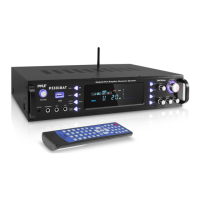
Compares models and highlights features like Bluetooth streaming, disc playback, and input/output options.
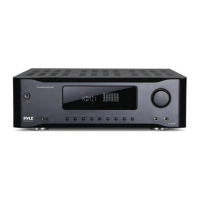
Describes front panel, Bluetooth connectivity, and lists items included in the package.
Details output power, impedance, aspect ratio, video system, S/N ratio, and dimensions.
 General