EasyManua.ls Logo

Pyle PT694BT - User Manual

Pyle PT694BT
6 pages
Print Icon
To Next Page IconTo Next Page
Loading...
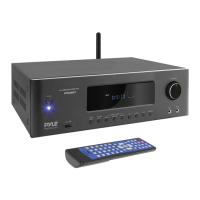
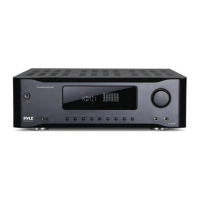
Hi-Fi Wireless BT Home Theater Receiver
PT694BT
Surround Sound Stereo Amplifier System
with 4K Ultra HD Support, AM/FM Radio (1000 Watt MAX)

Questions and Answers

  • E
    Evelyn BurgessJul 27, 2025
    Why is there display but no sound on my Pyle Receiver?
    • K
      Kimberly ColeJul 27, 2025
      If your Pyle Receiver has a display but no sound, there could be several reasons: * Check that the speaker wiring is correct according to the wiring diagram. * Ensure the playback source corresponds to the selected signal state. * Increase the volume level by turning the main volume knob clockwise. * Deactivate MUTE, if it's on.
  • J
    Julie CurtisJul 31, 2025
    Why is there sound distortion on my Pyle Receiver?
    • W
      wmaciasJul 31, 2025
      If you are experiencing sound distortion with your Pyle Receiver, the main volume might be set too high. Try turning down the main volume to reduce the distortion.
  • S
    scottkingAug 4, 2025
    How to fix no display on Pyle PT694BT Receiver?
    • J
      Joseph HansonAug 5, 2025
      If there is no display on your Pyle Receiver, the power socket may have poor contact or no electricity. Check the power supply and the plug of the socket.
  • A
    adamsnancyAug 9, 2025
    What to do if Pyle PT694BT is out of control?
    • A
      Andrew WestAug 9, 2025
      If your Pyle Receiver is out of control, it might be due to disturbance or improper operation. Try turning it OFF and then turning it ON again.
  • J
    Joseph ObrienAug 13, 2025
    What to do if Pyle PT694BT remote control doesn't work?
    • B
      Brittany BarnesAug 13, 2025
      If the Pyle Receiver remote control isn't working, make sure you're aiming the remote transmitter window at the receiver's receiving window and that there are no obstacles in between. Also, the batteries might be drained, so try replacing them with new ones.
  • D
    destiny82Aug 17, 2025
    How to fix wrong channel sound on Pyle PT694BT Receiver?
    • T
      Thomas VelezAug 17, 2025
      If the channel sound on your Pyle Receiver is incorrect, the channel sound mode may not be set correctly. Press 'CH. MODE' on the panel or remote control to adjust it.
  • P
    pchenAug 21, 2025
    Why can't Pyle PT694BT Receiver play music files in USB for long?
    • R
      Ronald Underwood IIAug 21, 2025
      If music files in your USB drive can’t be played for a long period of time on the Pyle Receiver, it could be that the USB files are not supported. Try deleting unsupported files from the USB drive.

Summary

Safety Precautions

General Safety Warnings

Important safety guidelines for operation, placement, and electrical handling.

Front Panel Controls and Indicators

Rear Panel Connections

Audio Input;Output Terminals

Connectors for FM antenna, audio sources, and speaker outputs.

Digital Audio and HDMI Interfaces

Coaxial, Optical inputs, and HDMI connections with ARC support.

Remote Control Functions

Audio and Channel Adjustment

Controls for volume, bass, treble, and channel selection.

System Connection Guide

Connecting Audio and Video Sources

Diagrams illustrating connections for DVD players, Blu-ray, and TV.

Operating Instructions

Preparation for Operation

Guidelines for unit placement, power-on, and initial connections.

Channel Selection and Mode

How to choose input sources and audio channel modes.

Volume Adjustment Methods

Adjusting total, center, surround, and bass volumes via panel or remote.

Audio Tone and Balance Adjustment

USB Device Operation

Microphone Usage

HDMI and ARC Functionality

Wireless Bluetooth Function

Connecting Bluetooth Devices

Pairing and streaming audio wirelessly from devices.

ARC (Audio Return Channel) Function

Enabling ARC for TV Audio

Using HDMI for TV audio signal transmission to the receiver.

Troubleshooting Guide

No Display or Sound Issues

Solutions for display problems and no sound output.

Remote Control and Sound Distortion

Troubleshooting for remote malfunctions and distorted audio.

Bluetooth Connectivity Issues

Solutions for phone-to-amplifier Bluetooth connection problems.

Product Features

Audio System and Connectivity

Details on 5.2 channel system, AV amplifier, and input/output interfaces.

Wireless Bluetooth Connectivity

Bluetooth Pairing and Streaming

Simple pairing, instant streaming, device compatibility, and network name.

Technical Specifications

Pyle PT694BT Specifications

General IconGeneral
BrandPyle
ModelPT694BT
CategoryReceiver
LanguageEnglish

Related product manuals