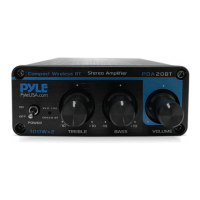
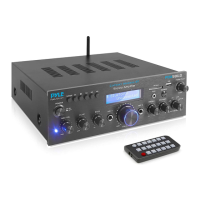
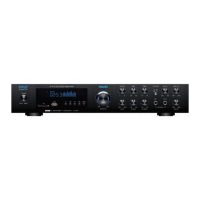
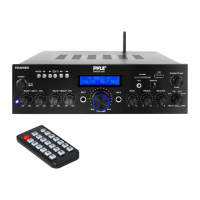
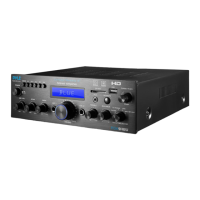
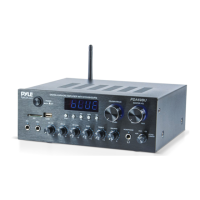
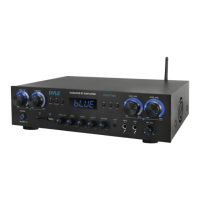
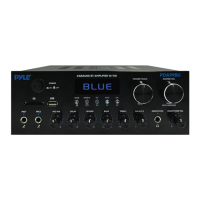
The Pyle PDA29BU is a Wireless BT Stereo Power Amplifier, part of the Blue Series, designed as a compact audio streaming amp with RCA and speaker terminals. This device serves as a versatile hub for various audio sources, offering both wired and wireless connectivity options. It is engineered to provide a powerful and clear audio experience, suitable for a range of home audio setups.
Function Description
The PDA29BU acts as a central control unit for your audio system, allowing you to connect multiple input sources and drive speakers. Its primary function is to amplify audio signals, delivering them to connected speakers. Key functionalities include:
- Wireless BT Connectivity: The amplifier features a built-in Bluetooth receiver, enabling wireless audio streaming from compatible devices such as smartphones, tablets, laptops, and computers. The Bluetooth network name is 'PyleUSA', with a version of 5.0 and a wireless range of 40+ ft. Pairing is simple and hassle-free.
- Multiple Input Sources: It supports various audio inputs, including USB, SD/MMC card, FM radio, and RCA (L/R) audio input for external devices. This allows users to play music from flash drives, memory cards, radio stations, or traditional audio components.
- Microphone Inputs: The unit includes two microphone input jacks (MIC 1 and MIC 2) with a dedicated microphone volume control, making it suitable for karaoke or public address applications.
- Audio Control: Front panel rotary controls allow for precise adjustment of treble, bass, and overall volume. A separate microphone volume control is also available.
- Display and Indicators: An LED display shows current operational status, such as the selected mode (USB/SD/FM/BT), FM frequency, or track information. An LED indicator light is also present.
- Speaker Output: It features push-type speaker L/R terminals for connecting passive speakers.
- MP3 Function Button: This multi-functional button allows for signal input conversion (MODE), track selection (previous/next song), play/pause functionality, and automatic station search in FM mode. It also includes an option for all or single repeat model.
- Remote Control: A battery-operated remote control is included, providing convenient access to various functions such as power ON/OFF, mode selection, track/channel selection, volume adjustment, repeat mode, and EQ function.
Important Technical Specifications
The PDA29BU is designed with specific technical parameters to ensure optimal performance:
- Power Supply: 100WX2 Max, indicating a maximum power output of 100 watts per channel.
- RMS Power: 10% RMS at 8-Ohm Impedance: 8WX2. This specifies the continuous power output under specific load conditions.
- Signal-to-Noise Ratio (SNR): 75dB. A higher SNR indicates less background noise relative to the audio signal, resulting in clearer sound.
- Frequency Response: 20Hz - 20kHz. This range covers the typical human hearing spectrum, ensuring full-range audio reproduction.
- Input Sensitivity: 200mV. This indicates the minimum input voltage required to achieve the rated output power.
- Total Harmonic Distortion (T.H.D.): 0.1%. A low T.H.D. value signifies minimal distortion in the audio signal, leading to higher fidelity sound.
- Power Cable Length: 4.9' ft.
- Tone Controls: Bass & Treble: +/-10dB (100Hz/10kHz). This allows for customization of low and high frequencies.
- Power Fuse: 1 A, 250V Fast-Acting (5 x 20mm). This fuse protects the unit from overcurrent.
- Remote Control Battery: Requires (1) x CR-2025 Button Cell Battery (included).
- Dimensions (W x H x D): 7" x 6.2" x 2.4" -inches. This compact size makes it easy to integrate into various setups.
- DC Power Supply: 12V/5A input jack.
Usage Features
The PDA29BU offers several features that enhance its usability:
- Compact and Powerful Mini Amp System: Its small footprint belies its capability to deliver robust audio.
- Easy BT Pairing: Simply press the MODE button to enter Wireless BT mode, search for "PYLEUSA" or "BT" on your device, and connect. A sound confirmation and a steady blue light indicate successful pairing.
- Versatile Media Playback: Play music directly from USB flash drives or SD/MMC cards. Note that the USB input is specifically for flash drives; connecting MP3 players or computers directly may prevent audio playback.
- FM Radio Control: Enter FM Radio mode, extend the antenna, and use the Play/Pause button to auto-scan and store stations (87.5Mhz to 108Mhz). NEXT/PREV buttons allow for station selection.
- Front Panel Rotary Controls: Intuitive knobs for power, treble, bass, microphone volume, and master volume provide direct access to essential adjustments.
- Remote Control Convenience: The included remote allows for operation from a distance, controlling power, mode, track selection, volume, repeat, and EQ settings.
- EQ Function: Select from pre-set equalizer modes to tailor the sound profile to your preference.
- Connect & Stream Audio from External Devices: Utilize the RCA inputs to connect CD players, turntables (with a pre-amp), or other audio sources.
Maintenance Features
Proper care and maintenance are crucial for the longevity and safe operation of the PDA29BU:
- Cleaning: Clean the unit only with a dry cloth. Avoid using liquids near the product.
- Ventilation: Install the equipment in a well-ventilated and open location. Do not impede ventilation openings with items like newspapers, table-cloths, or curtains.
- Environmental Protection: Do not expose the product to moisture (mist, steam, humidity, condensation) or excessive heat (direct sun, radiator) for prolonged periods to prevent fire or electric shock.
- Power Cord Handling: When unplugging, always pull the plug itself, not the cord, to prevent damage.
- Wiring Precautions: Ensure all equipment is turned OFF before wiring. Once installation is complete, power on all equipment with volume and level controls turned DOWN, then slowly raise them to desired positions.
- Safety Warnings: Adhere to all safety instructions, including warnings about electric shock and not opening the unit's cover. Refer all servicing to qualified personnel.
- Damage Protocol: In case of smoke, strange smells, liquid/metal immersion, physical damage (dropping), damaged power cord/plug, or improper operation (no sound), immediately turn off the power and cease operation. Refer to qualified personnel for servicing.
- Lightning Storms/Extended Disuse: Unplug the unit during lightning storms or when it will be unused for long periods.
- Chemical Exposure Warning: This product may contain chemicals, including "Nickel Carbonate," known to cause cancer, birth defects, or other reproductive harm. Users are advised to visit https://www.p65warnings.ca.gov/ for more information.

 Need help?

 To Next Page
 General