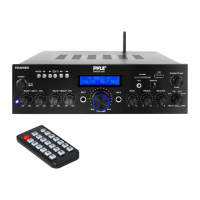
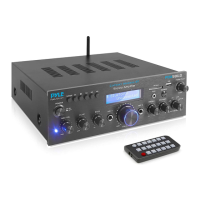
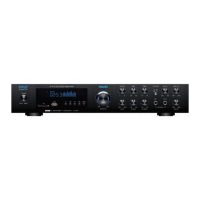
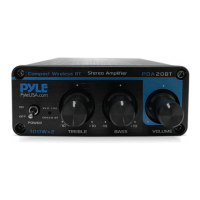
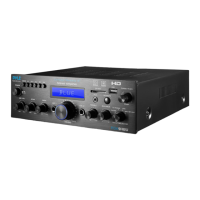
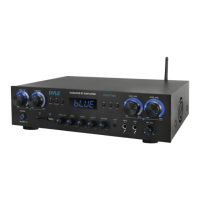
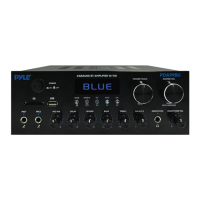
The Pyle PDA69BU is a stereo amplifier audio receiver sound system designed for home entertainment, offering a versatile range of audio input and playback options. It functions as a central hub for various audio sources, including wireless Bluetooth streaming, MP3 playback from USB/SD cards, auxiliary input, and FM radio. The device is particularly suited for karaoke setups, featuring microphone inputs with adjustable volume, delay, and reverb effects.
Function Description:
The core function of the PDA69BU is to amplify audio signals from multiple sources and deliver them to connected speakers. It acts as an audio receiver, allowing users to switch between different input modes seamlessly. The integrated digital karaoke amplifier enhances vocal performances by providing dedicated microphone inputs and effects.
Usage Features:
The PDA69BU offers a comprehensive set of features for user convenience and audio control:
- Multi-Source Audio Input: The system supports a wide array of audio inputs, including CD, DVD, and TV audio outputs via RCA jacks. It also features a 3.5mm auxiliary input for connecting portable devices like iPods or MP3 players.
- Wireless BT Streaming: Users can wirelessly stream music from their Bluetooth-enabled devices such as iPhones, Android smartphones, iPads, and tablets. The device features a dedicated BT antenna for improved signal reception.
- MP3/USB/SD Playback: The front panel includes USB and SD card slots, allowing direct playback of MP3 and WAV audio files. The system automatically detects and plays files from inserted USB flash drives or SD cards. A unique 'Folder/Track' music search control knob simplifies navigation through stored media.
- FM Radio: An integrated FM radio tuner allows users to listen to their favorite stations. The system supports auto-scanning and storing FM radio stations within the 87.5MHz to 108MHz frequency range.
- Karaoke Functionality: With two 1/4" microphone inputs, the PDA69BU is ideal for karaoke. Dedicated controls for microphone volume, delay time, and reverb depth allow users to fine-tune vocal effects for an enhanced singing experience.
- Audio Control: The front panel features a master volume knob for overall sound adjustment, along with separate controls for microphone volume, delay, reverb, bass, treble, and balance. These controls enable users to customize the audio output to their preferences.
- Input Selector: A rotary input selector knob allows users to easily switch between different audio sources (MP3/BT, CD, AUX, DVD).
- Headphone Output: A 1/4" headphone output jack is provided for private listening.
- Speaker Output: The unit connects to external speakers via combo screw-type banana plug speaker jacks, supporting a speaker impedance of 4-8 ohms.
- LED Display Screen: A clear LED screen displays important information such as the current mode (USB, SD, BLUE for Bluetooth, FM frequency), track number, elapsed time, and folder information.
- Remote Control: A full-function remote control provides convenient access to USB/SD, Wireless BT, and FM functions, including track selection, play/pause, volume adjustment, mode selection, and FM station scanning.
- Power Management: The device includes a power switch for turning the unit on and off, and a power voltage selector (115V/230V) for compatibility with different electrical systems.
Maintenance Features:
The PDA69BU is designed with general maintenance considerations in mind, emphasizing safety and proper handling:
- Cleaning: The unit should be cleaned only with a dry cloth to prevent damage to internal components.
- Environmental Protection: To ensure longevity and safe operation, the device should not be exposed to rain or moisture, and should be kept away from heat sources such as radiators, heat registers, stoves, or other heat-producing apparatuses.
- Cable Protection: All wires connected to the unit should be protected from being walked on or pinched. When disconnecting the power cord, users should hold the plug, not pull the cord, to prevent damage.
- Power Off During Wiring: When wiring the unit and other connected equipment, it is crucial to ensure all equipment is turned OFF to prevent electrical hazards.
- Volume Control During Power On: After installation and wiring, all equipment should be powered on with volume and level controls turned DOWN. Volume should be slowly raised to proper positions once all equipment is ON.
- Grounding: Proper grounding of the unit is essential for safety and to maintain the built-in grounding features.
- Professional Servicing: In case of damage (e.g., damaged power cord, liquid spills, objects falling into the apparatus, exposure to rain/moisture, abnormal operation, or dropping), servicing should be referred to qualified service personnel. The cover of the unit should not be removed by unauthorized users as there are no user-serviceable parts inside.
- Hardware Inspection: Before placing, installing, rigging, or suspending the product, all hardware, suspension, cabinets, transducers, brackets, and associated equipment should be inspected for damage. Any missing, corroded, deformed, or non-load rated components must be corrected immediately to ensure safety. Only hardware rated for the specific loading conditions should be used, and the rating should never be exceeded.
- Regulatory Compliance: Users are advised to consult a licensed, professional engineer for physical equipment installation and to ensure adherence to all local, state, and national regulations regarding equipment safety and operation.

 Need help?
 General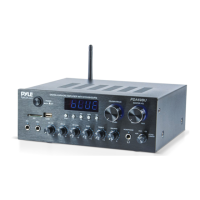

 To Next Page