EasyManua.ls Logo

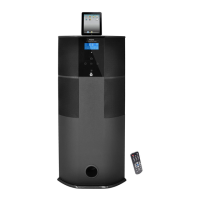
Pyle PHST94IPBK - User Manual

Pyle PHST94IPBK
12 pages
Print Icon
To Next Page IconTo Next Page
Loading...
PHST94

Questions and Answers

  • S
    Steven LawsonAug 11, 2025
    What to do if my Pyle Stereo System has no power?
    • K
      kponceAug 11, 2025
      If your Pyle Stereo System isn't powering on, there are a few things to check: * Ensure the power plug is fully and correctly inserted into the socket. * Verify that the power socket itself is working. * Make sure you've pressed the "POWER" button to turn the system on.
  • M
    mramosAug 18, 2025
    Why is there no sound coming from my Pyle Stereo System?
    • M
      marvin48Aug 19, 2025
      If you're experiencing a complete lack of sound from your Pyle Stereo System, consider these potential causes: * The input signal might be incorrectly selected. Ensure you've chosen the correct input. * The system might be muted. Check if the mute function is enabled and, if so, disable it. * The device providing the sound (sound source machine) might not be powered on. Make sure it's turned on.
  • S
    Stephanie HuntAug 25, 2025
    What to do if one channel of my Pyle Stereo System has no sound?
    • A
      Andrew FisherAug 26, 2025
      If one of the main channels on your Pyle Stereo System isn't producing sound, the issue might be with the signal plug connection. Check that the signal plug is correctly connected and that there are no short circuits in the lines.
  • C
    Carol TravisSep 1, 2025
    Why is the LCD screen on my Pyle Stereo System displaying abnormally?
    • J
      jessica72Sep 2, 2025
      If the LCD screen on your Pyle Stereo System is displaying abnormally, it could be due to external interference. Try turning the system off and then on again. Also, avoid exposing the system to direct sunlight or heat.

Summary

Package Contents

Operating Instruction

Safety Information

Essential safety guidelines for product operation and usage.

Specifications

Technical details including output power, frequency, drive units, and dimensions.

System Connection

Remote Control

LCD Display System

Operation Instructions

How to Open the System

Steps to power on the music center and initial display messages.

How to Play Stereo Audio

Instructions for selecting audio input sources like iPod, AUX, or FM.

How to Use Sleep Mode

Guidance on setting a timer for automatic system shutdown.

Remote Control Operations

Detailed guide on using the multi-function remote control.

Touch Key Control System Operations

How to Setup Clock and Alarm

Guide for setting clock and alarm using the unit's touch controls.

How to Play FM Tuner

Instructions for tuning and saving FM radio stations via touch controls.

Remote Control Maintenance

Installing Battery

Procedure for inserting the battery into the remote control.

Notes about Battery

Important notes regarding remote control battery usage and care.

Trouble Shooting

General Cautions and Safety

Pyle PHST94IPBK Specifications

General IconGeneral
BrandPyle
ModelPHST94IPBK
CategoryStereo System
LanguageEnglish

Related product manuals