EasyManua.ls Logo

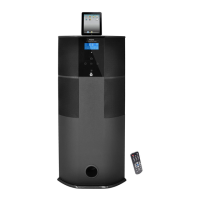
Pyle PHST96 - User Manual

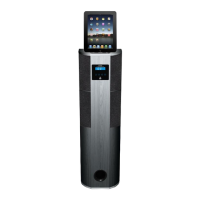
Pyle PHST96
12 pages
Print Icon
To Next Page IconTo Next Page
Loading...
лчиттничюнльтцию.
глтчн.Бзвыдны
www.sotmarket.ru
дбняинфмциятв,
тзывы,бзыиы
Инструкция для
Pyle PHST96IP
Перейти в карточку товара
8 800 775 98 98

Questions and Answers

  • F
    fritzkarenJul 26, 2025
    What to do if my Pyle PHST96 Stereo System has no power?
    • B
      Brian LittleJul 26, 2025
      If your Pyle Stereo System isn't powering on, there are a few things to check: * Ensure the power plug is fully and correctly inserted into the socket. If it isn't, insert the plug properly. * Verify that the power socket itself is working. Check the power of the socket. * Confirm that you've pressed the "POWER" button on the device. Press the "POWER" button to turn on the system.
  • A
    atkinsonmichaelAug 2, 2025
    Why is there no sound coming from my Pyle PHST96?
    • J
      jacksonjimmyAug 2, 2025
      If you're not getting any sound from your Pyle Stereo System, consider these potential causes: * The input signal might be set incorrectly. Select the correct input signal. * The system might be muted. Turn off the mute state. * The device playing the sound might not be on. Power on the sound source machine.
  • L
    Lisa MartinezAug 11, 2025
    What to do if the LCD screen displays abnormally on my Pyle Stereo System?
    • A
      Andrew ColeAug 11, 2025
      If the LCD screen on your Pyle Stereo System is displaying abnormally, it might be due to external disturbances. Try turning the system off and then on again. Also, avoid direct sunlight/heat.
  • B
    beckkellyAug 18, 2025
    What to do if one channel of my Pyle PHST96 has no sound?
    • D
      dominiquechristianAug 18, 2025
      If you're experiencing sound from only one channel on your Pyle Stereo System, the issue might be with the signal plug connection or short-circuited lines. Check the signal plug connection and lines for short-circuits.

Summary

Owners Manual

Operating Instruction

Safety Information

Essential safety precautions for operating the music center.

Specifications

Technical details and output power of the system.

System Connection

Controls and Display

Remote Control

Functions and layout of the remote control.

Touch Key Control System

Explanation of the touch-sensitive controls on the unit.

LCD Display System

Description of the unit's display indicators and modes.

Operation Instructions

Basic System Operation

Steps to power on, play audio, and use sleep mode.

Remote Control Usage

Detailed guide to using the remote control functions.

FM and iPod;iPad Operation

Instructions for FM tuner and iPod/iPad player controls.

Touch Key Operations

How to use touch controls for clock, alarm, and tuner.

Maintenance and Support

Battery Installation & Notes

Guide to installing remote battery and important notes.

Trouble Shooting

Common problems and their solutions.

Safety and Warnings

General Cautions

Important cautions regarding unit safety and handling.

Fire and Electric Shock Warnings

Warnings to prevent fire or electric shock hazards.

Pyle PHST96 Specifications

General IconGeneral
Speaker Size6.5 inches
Bluetooth ConnectivityYes
FM RadioYes
USB PortYes
SD Card SlotYes
Remote ControlYes
Frequency Response20 Hz - 20 kHz
Turntable Speeds33/45/78 RPM
ConnectivityBluetooth, USB, AUX
FeaturesBuilt-in Stereo Speakers, FM radio, USB/SD playback
Input Sensitivity500 mV
Input Impedance10k Ohms
Power Output1000 Watts

Related product manuals