EasyManua.ls Logo

Pyle PLRDD19UB - User Manual

Pyle PLRDD19UB
14 pages
Print Icon
To Next Page IconTo Next Page
Loading...
1
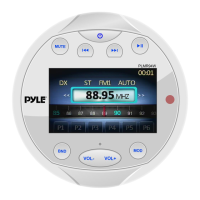
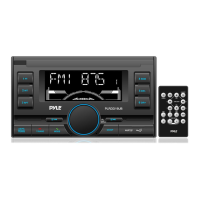
PLRDD19UB
OWNER’S MANUAL
Mobile Audio System
PLL Synthesizer Stereo Radio
MP3/WMA Player
Automatic Memory Storing
Preset Equalization
USB/SD card Interface

Questions and Answers

  • C
    Christy CookJul 27, 2025
    Why is there no sound coming from my Pyle PLRDD19UB Stereo System?
    • K
      Kayla MontoyaJul 27, 2025
      If your Pyle Stereo System has no sound, first, make sure the volume isn't set too low; adjust it to your preferred listening level. If the volume is adequate, verify that all wiring is correctly connected.
  • R
    rita65Aug 3, 2025
    What to do if my Pyle PLRDD19UB has no power?
    • S
      smithmichaelAug 4, 2025
      If your Pyle Stereo System isn't turning on, and the power supply is connected to the car accessory circuits, make sure the car ignition key is switched to “ACC”. Also, check the fuse; if it's blown, replace it.
  • M
    Michael Beck Jr.Aug 11, 2025
    Why does the radio not work on my Pyle PLRDD19UB?
    • C
      Christopher GarciaAug 11, 2025
      If your Pyle Stereo System's radio isn't working or selecting stations automatically, ensure the antenna cable is securely inserted. If the signal is weak, try selecting a station manually.
  • J
    John HoganAug 18, 2025
    What to do if the operation keys do not work on my Pyle PLRDD19UB Stereo System?
    • J
      Jessica LynnAug 18, 2025
      If the operation keys on your Pyle Stereo System aren't responding, the built-in microcomputer might not be operating correctly due to noise. Try pressing the reset button.

Summary

Installation

Wiring Connection

Operation

Location of Keys

Identifies and describes the function of each button and interface element on the unit.

Basic Unit Functions

Covers powering on/off, sound adjustments, EQ, display info, auxiliary input, and reset.

Radio Operation

Details radio functions including mode, band selection, station tuning, and auto memory scanning.

USB and SD Card Playback

Instructions for playing music files from USB drives and SD cards, including file selection and playback modes.

Bluetooth Operation

Guide to pairing, making calls, and streaming audio via Bluetooth connectivity.

Remote Control

Specifications

Trouble Shooting

Pyle PLRDD19UB Specifications

General IconGeneral
MP3 playbackYes
CD-R playback-
Audio formats supportedMP3, WMA
AM band range520 - 1710 kHz
FM band range87.5 - 108 MHz
Supported radio bandsAM, FM
Preset stations quantity30
Display typeLCD
Illumination colorWhite
Line outputs (RCA)1
Bluetooth functionsAudiostreaming, Handsfree calling
DIN size2 DIN
Output power240 W
Product colorBlack
Compatible memory cardsSD
Weight and Dimensions IconWeight and Dimensions
Weight1225 g
Dimensions (WxDxH)177.8 x 114.3 x 99.6 mm

Related product manuals