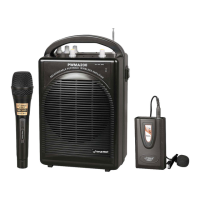
www.PyleUSA.com4 www.PyleUSA.com 5
DVD Remote Control
1. Open/Close for DVD
2. PAL/NTSC/AUTO switch
3. Mute for speakers
4. Radom play
5. Subtitle selector
6. Angle: dierent angles for visual
7. Video Mode selector
8. A-B: Repeat from A to B
9. Setup
10.11.28.30. Four directions controllers
12. Menu for DVD player
13. Language: Select language
14. STOP: stop the disc playing
15. Volume+: Volume increase
16. VOLUME-: Volume decrease
17. 1-10.10+: Select discs or songs
18. Time: select the time you want to play
19. Next for song or other playing
20. Previous song
21. Forward
22. Reverse
23. DVD/USB switch
24. Program
25. Play/Pause
26. Reset
27. Title
29. Conrm
31. PBC: Open all menu for discs
32. View
33. Repeat: repeat for disc or songs
34. Slow: Slow down song playing
35. EQ: Choose dierent sound eect
36. ZOOM
37. STEP: Step playing the present videos or pictures
38. OSD: Operation situation display
39. Power: Power in or standby your DVD player
7" Display Screen
Instructions
Turning ON/OFF
The PA speaker can be powered when connected to main power or using the
internal 12V battery.
1. Connect the power cable to the top of the unit.
2. Connect the other end of power cable to main power.
3. Turn ON the main power switch.
4. The unit will automatically power on when connected to main power.
Notes:
If you wish to use the internal battery power of the unit, just simply turn on the
Battery switch located on the top of unit.
Before using the PA speaker for the rst time, charge the unit at least 8 hours.
1. Connect the power cable to the top of the panel.
2. Turn o the battery switch on the top of the panel.
3. Recharge indicator light will be on when unit is charging.
Notes:
The internal battery will charge while the unit is being operated and the power
switch is on. It is better to charge the unit while the power switch is o.
AV1/AV2 Source
U/D/R/L Turn over
or 16:9/4:3 mode
MENU MENU - MENU + POWER



 To Next Page