EasyManua.ls Logo

Pyle PLCD5MRBTS - User Manual

Pyle PLCD5MRBTS
20 pages
Print Icon
To Next Page IconTo Next Page
Loading...
1
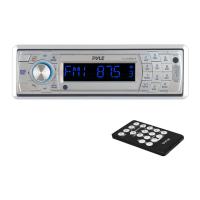
PLCD5MRBTS
OWNER’S MANUAL
Mobile Audio System
PLL Synthesizer Stereo Radio
AM/FM/MPX PLL RADIO
MP3/CD/CD-RW Compatible
Automatic Memory Storing
USB&SD/MMC Card Interface
Fold Down Detachable Panel
Auxiliary Input Function
Bluetooth Hands-free function & A2DP (Advanced Audio
Distribution Profile) Stereo Audio Transmission
www.pyleaudio.com

Questions and Answers

  • M
    Melody KellerJul 26, 2025
    Why Pyle PLCD5MRBTS has no power?
    • J
      Janet HernandezJul 27, 2025
      If your Pyle Car Stereo System has no power, several things could be the cause. First, ensure the car ignition switch is turned to 'ACC' if the power supply relies on the car's accessory circuits. Second, check the fuse and replace it if it's blown. Also, extremely high temperatures inside the car or condensation can prevent the unit from powering on. In the case of high temperature, allow the unit to cool. If condensation is the issue, leave the player off for about an hour before trying again.
  • K
    karen99Aug 1, 2025
    What to do if there is no sound from Pyle Car Stereo System?
    • J
      Jennifer GillAug 2, 2025
      If your Pyle Car Stereo System isn't producing any sound, start by checking the volume level and ensure it's not set to the minimum. If the volume is appropriately adjusted, verify that all wiring connections are properly connected.
  • J
    Jessica EvansAug 7, 2025
    Why does my Pyle PLCD5MRBTS sound skip?
    • J
      John WestAug 7, 2025
      If your Pyle Car Stereo System is skipping, it might be due to the installation angle exceeding 30 degrees. To resolve this, adjust the installation angle to be less than 30 degrees.
  • D
    Dana MillerAug 14, 2025
    What to do if the operation keys do not work on Pyle PLCD5MRBTS Car Stereo System?
    • J
      Jill SchultzAug 14, 2025
      If the operation keys on your Pyle Car Stereo System aren't working, it could be due to noise interfering with the built-in microcomputer. Try pressing the RESET button. Note that if the front panel is not properly fixed into its place, the operation keys might not work.
  • T
    Tracy MonroeSep 10, 2025
    Why the radio does not work on Pyle PLCD5MRBTS Car Stereo System?
    • C
      Christine WelchSep 12, 2025
      If the radio on your Pyle Car Stereo System isn't working, or the automatic station selection fails, first ensure the antenna cable is firmly inserted. If the issue persists, the signals might be too weak; in this case, try selecting a station manually.

Summary

Installation

Preparation and Mounting

Taking out screws, DIN front/rear mount installation procedures.

Unit Removal

Step-by-step guide to safely remove the unit from the dashboard.

Detachable Front Panel

Panel Handling and Storage

Instructions for detaching, storing, and precautions for the front panel.

Wiring Connection

ISO Connector Details

Diagram and explanation of the ISO wiring standard for speaker and power connections.

Operation

Control Layout

Identifies and explains the function of each button on the unit.

Basic Operations

Unit power, sound adjustment, display, loudness, mode, and system settings.

Radio Tuning and Features

Selecting bands, stations, auto memory, scan, local/mono modes.

Media Playback Controls

Controls for CD/MP3/WMA playback, including track selection, repeat, shuffle.

Media File Management

Searching tracks, displaying ID3 info, MP3/WMA specs, and disc notes.

USB and SD;MMC Playback

Connecting and playing files from USB drives and SD/MMC cards.

iPod and Bluetooth Setup

iPod operation and initial Bluetooth pairing with a mobile phone.

Bluetooth Connectivity and Calls

Auto-reconnect, manual connect, and telephone menu access.

Call Management and Transfer

Making outgoing calls, answering, and transferring calls.

Bluetooth Audio Streaming

How to play stereo audio from your mobile phone via Bluetooth.

Specification

General Specifications

Power supply, dimensions, tone controls, output power, and current drain.

Radio Specifications

Frequency coverage, IF, and sensitivity for FM and AM bands.

Remote Control

Function Key Overview

Explanation of each button on the optional remote control handset.

Trouble Shooting

Common Issues and Solutions

Table detailing symptoms, causes, and solutions for common operational problems.

Pyle PLCD5MRBTS Specifications

General IconGeneral
MP3 playbackYes
DVD Audio playbackNo
Audio formats supportedMP3, WMA
AM band range520 - 1710 kHz
FM band range87.5 - 108 MHz
Supported radio bandsAM, FM, PLL
Preset stations quantity30
Display typeLCD
USB version2.0
Bluetooth version2.0+EDR
USB ports quantity1
Headphone connectivity3.5mm
Output power240 W
Product colorSilver
Volume controlRotary
Disc types supportedCD, CD-R, CD-RW
Compatible memory cardsMMC, SD
Key illumination colorBlue
Weight and Dimensions IconWeight and Dimensions
Depth107 mm
Width178 mm
Height50 mm

Related product manuals